
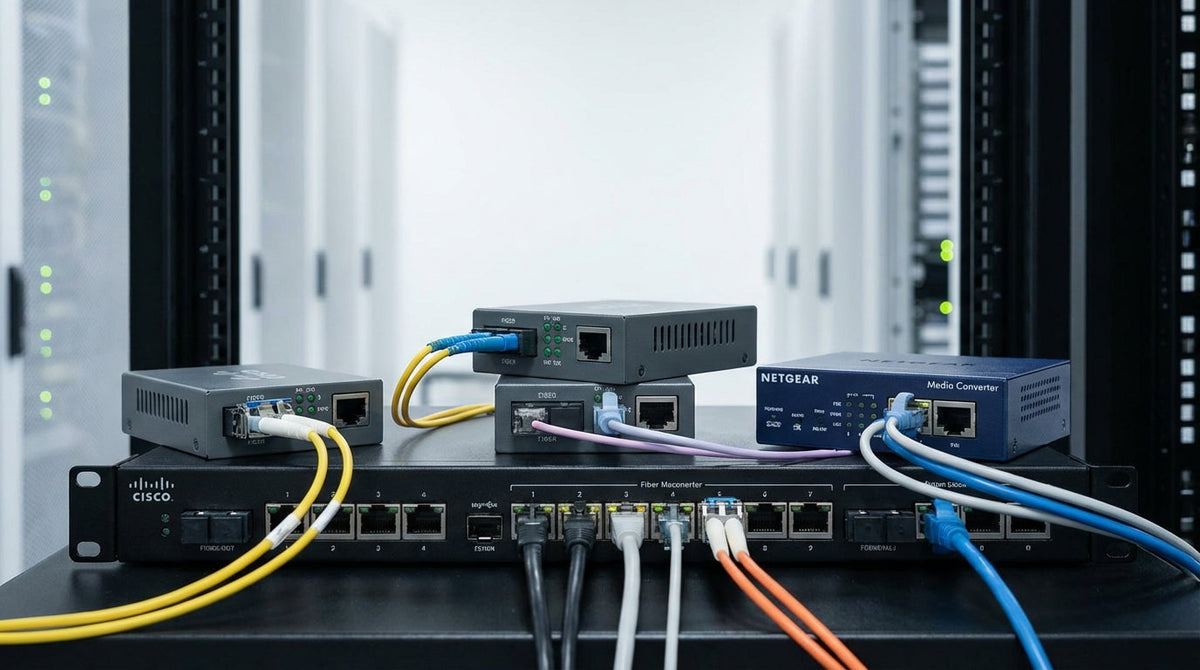
Network Media Converters Buying Guide: How to Choose the Right Solution
Network Media Converters Buying Guide: How to Choose the Right Solution
Network media converters are essential networking devices that enable seamless communication between different types of network cables—typically converting between copper Ethernet and fiber optic connections. Many businesses struggle to choose the right converter because the technology involves technical specifications that directly impact network performance and reliability.
This guide will help you understand the key decision factors when selecting network media converters, from speed requirements and distance limitations to managed versus unmanaged options. At Tecisoft, we've helped countless businesses navigate these choices to build reliable, efficient networks.
Understanding Media Converter Types and Applications
Copper-to-Fiber Conversion
The most common scenario involves extending your existing copper Ethernet network over longer distances using fiber optic cables. Copper cables are limited to about 100 meters, while fiber can extend your network several kilometers without signal degradation.
Typical use cases:
- Connecting buildings across a campus
- Extending network access to remote areas
- Upgrading legacy copper infrastructure gradually
- Bridging different network segments
Fiber-to-Fiber Conversion
Some converters handle fiber-to-fiber conversion between different fiber types or connector standards. This is useful when integrating equipment with different fiber specifications.
Key Specifications That Actually Matter
Network Speed Compatibility
Choose a converter that matches your current network speed and provides room for growth:
- 10/100 Mbps: Adequate for basic office applications and legacy systems
- Gigabit (1000 Mbps): Standard for modern business networks
- 10 Gigabit: Required for high-bandwidth applications like video conferencing, large file transfers, or server connections
Decision rule: Match or exceed your switch's port speed. A 100 Mbps converter will create a bottleneck on a Gigabit network.
Distance and Fiber Type Requirements
Fiber optic cables come in two main types with different distance capabilities:
Multi-mode fiber:
- Distance: Up to 500-550 meters
- Cost: Lower equipment and cable costs
- Best for: Building-to-building connections, campus networks
Single-mode fiber:
- Distance: Up to 40+ kilometers (depending on specifications)
- Cost: Higher initial cost but lower per-kilometer cost
- Best for: Long-distance connections, metropolitan networks
Planning tip: Measure your actual cable run and add 20% buffer. Factor in any future expansion that might require longer distances.
Standalone vs. Chassis-Based Solutions
Standalone Converters
Best for: Small offices, simple point-to-point connections, budget-conscious deployments
Advantages:
- Lower upfront cost
- Simple installation
- No single point of failure
- Easy to replace individual units
Considerations:
- Requires individual power adapters
- Takes up more rack space for multiple connections
- Limited centralized management
Chassis-Based Systems
Best for: Larger networks, data centers, environments requiring multiple conversions
Advantages:
- Centralized power and management
- Higher port density
- Hot-swappable modules
- Better organization and cable management
Considerations:
- Higher initial investment
- Single point of failure (though redundant power options exist)
- More complex initial setup
Managed vs. Unmanaged: Making the Right Choice
Unmanaged Converters
Choose when you need:
- Simple plug-and-play operation
- Lower cost per port
- Basic media conversion without monitoring
- Small networks with minimal IT staff
Trade-offs:
- No remote monitoring or diagnostics
- Limited troubleshooting capabilities
- No configuration options for optimization
Managed Converters
Choose when you require:
- SNMP monitoring and alerts
- Remote configuration capabilities
- Link fault detection and reporting
- VLAN support and traffic prioritization
- Integration with network management systems
Investment consideration: Managed converters cost 30-50% more but can significantly reduce troubleshooting time and provide proactive network monitoring.
Power and Environmental Considerations
Power Options
- AC power adapters: Standard for office environments
- PoE (Power over Ethernet): Reduces cable requirements, good for remote locations
- DC power: Essential for industrial environments or UPS-backed systems
- Redundant power: Critical for mission-critical applications
Environmental Requirements
Match the converter's operating specifications to your installation environment:
- Office environments: Standard temperature range (0°C to 40°C)
- Industrial settings: Extended temperature range (-40°C to 75°C)
- Outdoor installations: IP-rated enclosures and weatherproof designs
Selection Framework for Common Scenarios
Small Office (5-25 users)
- Distance: Measure actual run, typically under 2km
- Speed: Gigabit sufficient for most applications
- Type: Unmanaged standalone converters
- Fiber: Multi-mode for cost efficiency
- Budget: $50-150 per conversion point
Growing Business (25-100 users)
- Distance: Plan for campus expansion
- Speed: Gigabit minimum, consider 10G for server connections
- Type: Mix of standalone and small chassis systems
- Management: Managed converters for critical links
- Redundancy: Consider backup power and redundant links
Enterprise/Industrial (100+ users)
- Distance: Often requires single-mode fiber
- Speed: 10 Gigabit for backbone connections
- Type: Chassis-based systems for scalability
- Management: Fully managed with SNMP integration
- Reliability: Redundant power, environmental hardening
Frequently Asked Questions
What's the difference between SFP and fixed-port media converters?
SFP (Small Form-Factor Pluggable) converters use interchangeable optical modules, providing flexibility to change fiber types or distances later. Fixed-port converters have built-in optics but limit future changes. SFP converters cost more initially but offer better long-term flexibility.
Can I mix different brands of converters in the same network?
Yes, media converters are generally interoperable as they follow IEEE standards. However, using the same brand for managed converters ensures consistent management interfaces and feature sets.
How do I calculate the total cost of ownership?
Consider initial hardware cost, installation labor, ongoing power consumption, and maintenance requirements. Managed converters may cost more upfront but can reduce troubleshooting time and prevent costly downtime.
What happens if a media converter fails?
Unmanaged converters typically fail "open" (no signal passes through). Managed converters can provide advance warning through monitoring alerts. Always keep spare units for critical network segments.
Do I need surge protection for outdoor fiber runs?
Fiber optic cables themselves are immune to electrical interference, but the converters at each end need surge protection if they're in areas prone to electrical storms or industrial electrical noise.
How do I troubleshoot media converter issues?
Start with basic link lights—most converters have LED indicators for power, link status, and activity. For managed units, check SNMP logs for error conditions. Common issues include dirty fiber connectors, incorrect fiber type, or speed mismatches.
Making Your Final Decision
Successful media converter selection comes down to three key factors: accurately assessing your distance and speed requirements, choosing the right management level for your IT resources, and planning for future network growth.
Your next steps:
- Measure and document all cable runs that need conversion
- List your must-have features: speed, management, redundancy, environmental requirements
- Calculate total cost including installation and ongoing support
- Test with a small pilot before deploying across your entire network
Explore our comprehensive network media converter range at Tecisoft to find solutions that match your specific requirements and budget. Our technical team can help you design a conversion strategy that grows with your business.
Ready to find the right solutions for your needs?
Explore Collection




