
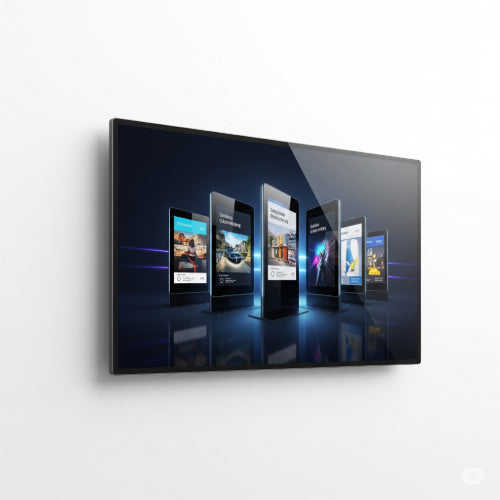
Beyond the Static Poster: How to Set Up and Maintain Your Digital Signage for Maximum Impact
Digital signage has revolutionized how businesses communicate, advertise, and inform. From sleek menu boards in a café to dynamic information screens in an office lobby, it offers a versatile and engaging way to deliver content. But getting the most out of your digital signage requires more than just plugging in a screen. It demands thoughtful setup and diligent maintenance.
This guide will walk you through the essential steps to launch and sustain a successful digital signage system that truly captures attention and drives results.
1. The Planning Phase: Before You Buy Anything
- Define Your Goal: What do you want your digital signage to achieve? (e.g., increase sales, improve internal communication, provide wayfinding, reduce perceived wait times). Your goal will dictate your content and placement.
- Identify Your Audience: Who are you trying to reach? What kind of content resonates with them?
- Choose Your Location(s): Where will the screens be most visible and impactful? Consider lighting conditions (avoiding direct sunlight), foot traffic patterns, and power/network access.
- Content Strategy: What type of content will you display? (e.g., text, images, videos, live feeds, social media). Plan how often it will be updated and who will be responsible for it.
- Budget: Determine your budget for hardware, software, installation, and ongoing maintenance.
2. The Setup: Hardware & Software Integration
-
Choose Your Hardware:
- Displays: Select commercial-grade displays designed for continuous operation. Consider size, resolution (Full HD or 4K), brightness (especially for brightly lit areas), and orientation (landscape or portrait).
- Media Players: These are the "brains" that push content to your screens. They can be dedicated Android or Windows boxes, or even integrated into "smart" commercial displays. Ensure compatibility with your chosen software and sufficient processing power for your content.
- Mounts: Secure and appropriate mounts (wall mounts, ceiling mounts, floor stands) are crucial for safe installation and optimal viewing angles.
- Network Connectivity: Plan for reliable internet access for each screen – wired (Ethernet) is generally more stable than Wi-Fi, especially for multiple screens or video content.
-
Select Your Digital Signage Software (CMS - Content Management System):
- This is where you'll create, schedule, and deploy your content. Look for features like:
- User-friendliness: Easy content creation and scheduling.
- Remote Management: Ability to control screens from anywhere.
- Content Flexibility: Support for various media types.
- Scheduling: Granular control over when content plays.
- Analytics: Basic reporting on screen uptime or content views.
- Scalability: Can it grow with your needs?
- This is where you'll create, schedule, and deploy your content. Look for features like:
-
Installation:
- Professional Help: For complex installations, large screens, or multiple locations, consider hiring professional installers to ensure proper wiring, mounting, and calibration.
- Power & Network: Ensure stable power outlets and network connections are readily available and discreetly managed.
- Secure Mounting: Double-check that all displays are securely mounted to prevent accidental falls.
3. Content Creation & Scheduling: The Heart of Your System
-
Design for Impact:
- Keep it Concise: Digital signage is for quick reads. Use minimal text and large fonts.
- High-Quality Visuals: Use crisp images and high-definition videos.
- Strong Call to Action: If applicable, make it clear what you want the viewer to do.
- Brand Consistency: Maintain your brand's colors, fonts, and logos.
- Dynamic and Varied Content: Avoid static images that quickly become "wallpaper." Rotate content frequently to keep it fresh and engaging. Mix informational, promotional, and even entertaining content.
- Strategic Scheduling: Use your CMS to schedule content based on time of day, day of the week, or specific events. For example, show breakfast menus in the morning, lunch specials later, and general announcements after hours.
4. Maintenance: Keep Your Signage Shining
- Regular Cleaning: Dust and smudges can degrade image quality. Gently clean screens with a microfiber cloth and appropriate screen cleaner.
- Software Updates: Regularly update your media player's firmware and CMS software to ensure optimal performance, security, and access to new features.
- Content Refresh: This is crucial! Stale content is ignored content. Schedule regular content updates, even if it's just minor tweaks.
- Hardware Checks: Periodically check all cable connections (power, HDMI, Ethernet) to ensure they are secure. Listen for any unusual noises from media players or displays (though modern units are very quiet).
- Network Monitoring: Ensure your screens have consistent internet connectivity. Downtime means missed opportunities.
- Battery Backup (UPS): For critical signage, consider connecting your media player and display to an Uninterruptible Power Supply (UPS) to protect against power fluctuations and brief outages.
-
Troubleshooting Common Issues:
- Blank Screen: Check power, HDMI/display cable connections, and media player status.
- Incorrect Content: Verify your scheduling in the CMS.
- Slow Performance: Check network speed, media player resources, or software issues.
By diligently following these steps from planning to ongoing maintenance, your digital signage will become a powerful, dynamic tool that effectively communicates your message and enhances the experience for your audience.





