
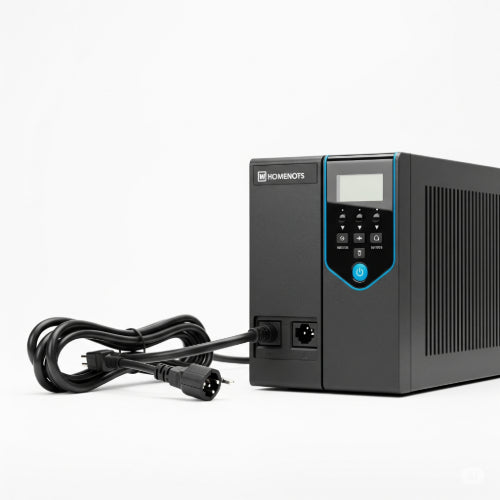
Comparing Different UPS Systems: Which One Suits Your Needs?
In a world increasingly reliant on technology, a stable power supply is non-negotiable. From unexpected blackouts to subtle voltage fluctuations, power disturbances can disrupt operations, corrupt data, and even damage valuable electronic equipment. This is where an Uninterruptible Power Supply (UPS) system becomes an indispensable guardian for your devices.
But with various types of UPS systems on the market, how do you choose the right one for your home or office? Understanding the distinctions between the main topologies is crucial. Let's compare the three most common UPS systems: Standby (Offline), Line-Interactive, and Online (Double-Conversion).
1. Standby (Offline) UPS
How it works: The simplest and most economical type, a Standby UPS allows your equipment to run directly on utility power. The inverter (which converts battery DC power to AC) is normally off. When the utility power fails or drops below an acceptable level, a transfer switch activates the inverter and the UPS switches to battery power.
Pros:
- Cost-effective: Generally the least expensive option.
- Energy efficient: Very little power is consumed during normal operation as the inverter is off.
- Compact size: Often smaller and lighter, making them suitable for individual workstations.
Cons:
- Transfer time: There's a brief delay (typically 2-10 milliseconds) when switching from utility power to battery power. While most modern electronics can handle this, very sensitive equipment might experience a brief interruption or glitch.
- Limited protection: Provides basic protection against blackouts and significant voltage sags/surges, but offers minimal conditioning against minor fluctuations, noise, or frequency variations.
- Battery wear: May switch to battery more frequently in areas with unstable power, leading to faster battery degradation.
Best suited for:
- Home office computers, individual workstations, printers, and basic networking equipment (modems, routers) where minor, momentary power interruptions are acceptable.
2. Line-Interactive UPS
How it works: An advancement over Standby UPS, the Line-Interactive UPS keeps its inverter continuously connected to the output. During normal operation, the inverter works in reverse to charge the battery. When utility power fluctuates (sags or surges), an Automatic Voltage Regulation (AVR) feature boosts or trims the incoming voltage without switching to battery power. If the power fails completely, the UPS seamlessly switches to battery.
Pros:
- Better power conditioning: AVR protects against voltage sags and surges, extending battery life by reducing unnecessary transfers to battery.
- Reduced transfer time: Faster transfer time (typically 2-4 milliseconds) compared to Standby UPS.
- More efficient: Generally more efficient than Online UPS systems.
- Cost-effective balance: Offers a good balance between cost and protection for many applications.
Cons:
- Still has a brief transfer time (though minimal).
- Does not provide complete isolation from all power disturbances (e.g., frequency variations, harmonic distortions).
Best suited for:
- Small to medium business servers, networking equipment, point-of-sale (POS) systems, and more sensitive electronics where moderate power conditioning and quick transfer times are important.
3. Online (Double-Conversion) UPS
How it works: An Online UPS provides the highest level of power protection. It continuously converts incoming AC power to DC, which charges the batteries and simultaneously powers the output inverter. The inverter then converts the DC power back to a clean, stable AC power for your connected equipment. Because the inverter is always providing power, there is zero transfer time when the utility power fails.
Pros:
- Ultimate power protection: Protects against virtually all power problems, including blackouts, sags, surges, noise, frequency variations, and harmonic distortion.
- Zero transfer time: Seamless transition to battery power ensures no interruption for even the most sensitive equipment.
- Constant power conditioning: Continuously regenerates a perfect sine wave output, providing consistent, high-quality power.
- Ideal for critical loads: Best for mission-critical applications where downtime or data loss is unacceptable.
Cons:
- Highest cost: Requires a significant upfront investment.
- Lower energy efficiency: Because the inverter is always active, it consumes more energy and generates more heat, leading to slightly lower efficiency compared to other types.
- Larger size and weight: Often larger and heavier due to more complex internal components.
Best suited for:
- Data centers, critical servers, medical equipment, high-end networking gear, industrial control systems, and any application where absolute power reliability and pristine power quality are essential.
Key Factors When Choosing Your UPS
Beyond the type, consider these factors:
- VA (Volt-Ampere) / Watt Capacity: Calculate the total power consumption (in Watts) of all devices you plan to connect. It's recommended to choose a UPS with a VA rating 20-30% higher than your total load to allow for headroom and future expansion.
- Runtime: How long do you need your equipment to run on battery power during an outage? This determines the battery capacity required. For a safe shutdown, a few minutes might suffice. For continued operation during short outages, you'll need more.
- Number of Outlets: Ensure the UPS has enough outlets for your current and future devices.
- Pure Sine Wave Output: For sensitive electronics, especially those with Active PFC power supplies (common in modern computers and servers), a pure sine wave output UPS is highly recommended to prevent potential compatibility issues or damage. Most Line-Interactive and all Online UPS systems offer this.
- Form Factor: UPS units come in tower, rackmount, or desktop designs. Choose one that fits your space.
- Management Features: Look for features like LCD displays, USB/Ethernet connectivity for monitoring and remote management, and auto-shutdown software.
Conclusion
There's no one-size-fits-all UPS. The best system for you depends on the criticality of your equipment, the stability of your local power grid, your budget, and your desired level of protection. By carefully assessing these factors and understanding the unique capabilities of Standby, Line-Interactive, and Online UPS systems, you can make an informed decision that safeguards your valuable electronics and ensures business continuity.





