
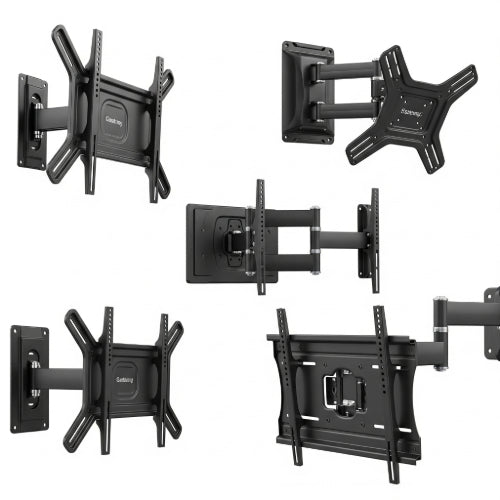
Elevate Your Office: How to Use TV Mounts to Optimize Your Workspace
In today's dynamic work environments, maximizing every inch of office space and promoting ergonomic comfort are top priorities. While we often think of TV mounts for living rooms, their utility extends brilliantly into the office. Far from being just for entertainment, strategic use of TV mounts can transform your workspace, offering significant benefits in organization, collaboration, and even aesthetics.
If your office feels cramped, or you're looking for clever ways to integrate technology seamlessly, it's time to discover how TV mounts can be your secret weapon.
1. Reclaim Valuable Desk and Floor Space
This is perhaps the most immediate and impactful benefit. Traditional monitors and TVs, especially larger ones, can hog significant desk space with their stands. Floor stands, while sometimes necessary, can clutter walkways and make cleaning difficult.
- Desk Clearance: Mounting a screen to the wall or ceiling frees up the entire area underneath, giving you more room for keyboards, mice, notebooks, or simply a cleaner, less cluttered work surface.
- A cleaner aesthetic: Removes the clutter and wires of a desk stand, making for a much more organized and professional-looking workspace.
- Improved Mobility: Without obstacles on the floor or desk, moving around your workspace or reconfiguring furniture becomes much easier.
2. Enhance Ergonomics and Reduce Strain
Poor screen placement is a leading cause of neck strain, eye fatigue, and slouching. TV mounts offer unparalleled flexibility in positioning your display for optimal ergonomic health.
- Adjustable Height: Most mounts allow you to set the screen at the perfect eye level, preventing you from craning your neck up or down.
- Optimal Viewing Distance: You can easily adjust the distance of the screen from your viewing position, which is particularly beneficial for larger displays in conference rooms or common areas.
- Tilt and Swivel: Reduce glare by tilting the screen, or swivel it to share content with colleagues without moving your entire setup. Full-motion mounts offer the most versatility.
3. Facilitate Dynamic Collaboration and Presentations
Beyond individual workstations, TV mounts are invaluable for shared office spaces and meeting rooms.
- Conference Room Displays: Mount large screens for presentations, video conferencing, and collaborative brainstorming. A wall-mounted display ensures everyone in the room has a clear view without bulky equipment obstructing sightlines.
- Huddle Spaces: Create informal meeting areas with wall-mounted screens for quick, ad-hoc collaborations, allowing teams to connect laptops easily and share ideas.
- Digital Signage: Use mounted TVs in reception areas or common spaces for displaying important announcements, company news, or wayfinding information, providing a modern and efficient communication channel.
4. Create a Sleek and Professional Aesthetic
A well-mounted TV or monitor instantly elevates the professional appearance of any office.
- Clean Lines: Eliminating stands and visible cables (especially with in-wall cable management) creates a minimalist and modern look.
- Consistent Design: Using similar mounts and screens throughout the office can contribute to a cohesive and polished design.
- Impress Visitors: A high-tech, organized office space leaves a positive impression on clients and partners.
5. Versatility in Placement and Purpose
The variety of TV mounts available means there's a solution for almost any office need:
- Wall Mounts (Fixed, Tilting, Full-Motion): The most common type, offering varying degrees of adjustability.
- Ceiling Mounts: Ideal for open-plan offices, retail spaces, or areas where wall mounting isn't feasible, allowing screens to be visible from multiple angles.
- Desk Mounts (Monitor Arms): While not strictly "TV" mounts, these are crucial for individual workstations, providing similar ergonomic and space-saving benefits for smaller displays.
- Recessed Mounts: For the ultimate flush look, some mounts allow the TV to sit almost entirely within the wall.
Key Considerations Before Mounting:
- Weight Capacity: Ensure the mount can safely hold the weight of your TV or monitor.
- VESA Compatibility: Check that the mounting holes on the back of your screen match the VESA pattern on the mount.
- Wall Type: Understand if your wall is drywall, concrete, brick, etc., as this determines the type of anchors and installation method required. Locate studs for secure mounting.
- Cable Management: Plan how you will hide cables (in-wall, cable raceways) for the cleanest look and safety.
- Professional Installation: For larger TVs, complex setups, or if you're unsure about wall integrity, consider hiring a professional installer.
Conclusion
Don't let your office space dictate your productivity. By strategically incorporating TV mounts, you can declutter your desks, improve ergonomic comfort, foster better collaboration, and elevate the overall aesthetic of your workspace. It's a simple yet highly effective way to create a more functional, efficient, and modern office environment that benefits everyone. So, go ahead, free up that desk, and take your office to new heights!





