
Expanding Horizons: The Impact of Ultra-Wide Monitors on Workplace Productivity
In today's fast-paced work environment, efficiency and productivity are paramount. Professionals are constantly seeking tools and technologies that can help them streamline workflows and accomplish more in less time. One such tool that has gained significant traction in recent years is the ultra-wide monitor. These expansive displays offer a wider aspect ratio than traditional monitors, providing users with a significantly larger visual workspace. But do they truly boost productivity, or are they just a trendy addition to the modern office? Let's delve into the impact of ultra-wide monitors on workplace efficiency.
The Allure of More Screen Real Estate:
The primary benefit of an ultra-wide monitor is the sheer amount of screen real estate it provides. This extra horizontal space allows users to have multiple applications and windows open side-by-side without the need for constant resizing or switching between tabs. This can lead to a more fluid and efficient workflow in several ways:
- Enhanced Multitasking: Imagine having your document open on one side of the screen, your email client in the middle, and a research website or spreadsheet on the other. Ultra-wide monitors make true multitasking a reality, allowing you to monitor and interact with multiple tasks simultaneously, reducing the cognitive load associated with constant window management.
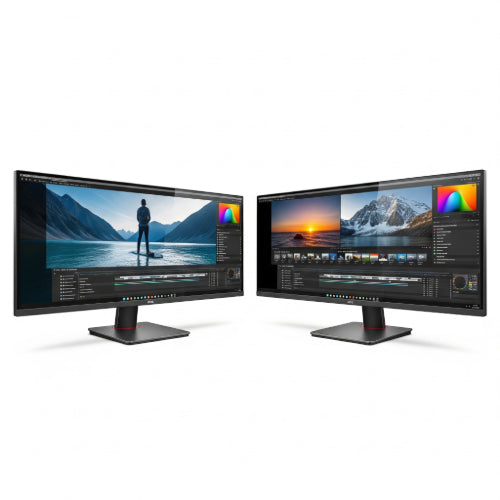
- Simplified Content Creation: For creative professionals like video editors, graphic designers, and web developers, ultra-wide monitors offer a wider timeline, more space for toolbars and palettes, and a better overall view of their projects. This can lead to a more intuitive and streamlined creative process.
- Improved Data Analysis: Professionals working with large datasets, such as analysts and financial professionals, can benefit immensely from the expanded horizontal view. They can display more columns of data in spreadsheets, compare datasets side-by-side, and visualize information more effectively.
- Streamlined Communication: Keeping communication tools like Slack or Microsoft Teams visible alongside your primary work application can improve responsiveness and facilitate quicker collaboration. You can monitor conversations and receive notifications without interrupting your main task.
- Reduced Eye Strain and Neck Strain: By minimizing the need to switch between windows, ultra-wide monitors can potentially reduce eye strain caused by constant refocusing. Additionally, the ability to position multiple applications within a single field of view can lessen neck strain associated with repeatedly turning the head between multiple monitors.
Beyond the Extra Space: Other Productivity Perks:
Beyond simply offering more horizontal space, some ultra-wide monitors come with features that further enhance productivity:
- Curved Displays: Many ultra-wide monitors feature a curved design that aims to provide a more immersive and comfortable viewing experience by mimicking the natural curvature of the human eye. This can reduce distortion at the edges of the screen and potentially decrease eye fatigue.
- Single Input, Multiple Displays (PBP/PIP): Some models offer Picture-by-Picture (PBP) or Picture-in-Picture (PIP) functionality, allowing you to display content from multiple input sources simultaneously as if you had two separate monitors.
- Integrated USB Hubs and Docking: Certain ultra-wide monitors include built-in USB hubs and even docking capabilities, simplifying cable management and allowing you to connect peripherals directly to the monitor.
Considerations and Potential Drawbacks:
While the benefits of ultra-wide monitors for productivity are significant, there are a few considerations to keep in mind:
- Cost: Ultra-wide monitors generally come with a higher price tag compared to traditional monitors of similar vertical size.
- Desk Space: Their wider form factor requires more desk space, which might be a concern for individuals with smaller workstations.
- Compatibility: While most modern applications scale well on ultra-wide displays, some older software or specific interfaces might not be fully optimized, potentially leading to wasted screen space or awkward layouts.
- Initial Adjustment Period: It might take some time for users to fully adapt to the wider aspect ratio and learn how to efficiently manage their windows on the expanded screen.
The Verdict: Expanding Your Potential
Overall, the evidence strongly suggests that ultra-wide monitors can have a significant positive impact on workplace productivity for many professionals. The increased screen real estate facilitates multitasking, streamlines content creation and data analysis, and improves communication workflows. While there are some considerations regarding cost and desk space, the potential gains in efficiency and user comfort make ultra-wide monitors a compelling investment for individuals and organizations looking to enhance workplace productivity in the modern digital age. As technology continues to advance and prices become more accessible, we can expect to see ultra-wide monitors become an increasingly common feature in offices around the globe.





