
Firewalls vs. Routers: What’s the Difference for Your Office Network?
In the intricate world of office networking, you often hear terms like "firewall" and "router" thrown around interchangeably. While both are critical components of a secure and functional network, they serve distinct purposes. Understanding these differences is vital for setting up a robust, secure, and efficient network for your business.
Let's demystify firewalls and routers to clarify their roles in your office network.
Understanding the Core Functions
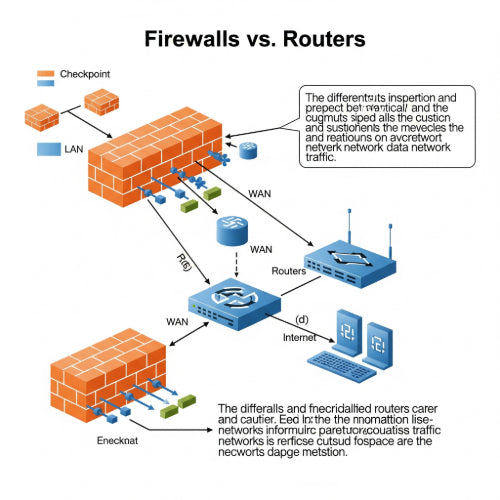
Routers: At its heart, a router is a network device that directs data packets between different computer networks. Its primary job is to connect your local area network (LAN) – all the devices in your office – to the internet (a wide area network, or WAN). When you send an email or browse a website, your router is responsible for forwarding those data packets to their correct destination and bringing responses back to your office. Think of it as the traffic controller of your network.
Firewalls: A firewall is a security device or software that monitors and controls incoming and outgoing network traffic based on predetermined security rules. Its main purpose is to establish a barrier between a trusted internal network (your office LAN) and untrusted external networks (like the internet). It acts as a gatekeeper, deciding what traffic is allowed to pass through and what is blocked.
Key Differences and Their Roles in Your Office Network
While many modern office routers include basic firewall capabilities, understanding their distinct functions helps in building a more secure and efficient network.
1. Primary Purpose:
- Router: Facilitates communication between different networks. Its core function is routing data packets from your office devices to the internet and vice versa, allowing internet access and inter-network communication.
- Firewall: Provides security by filtering network traffic. Its core function is to protect your internal network from malicious attacks, unauthorized access, and unwanted data.
2. Where They Operate (Layers of the Network Model):
- Router: Operates primarily at Layer 3 (the Network Layer) of the OSI model. It uses IP addresses to determine the best path for data packets.
- Firewall: Can operate at various layers, from Layer 2 (Data Link) up to Layer 7 (Application). More advanced "Next-Generation Firewalls" (NGFWs) can inspect traffic at the application level, understanding the content of communications, not just their source and destination.
3. Decision-Making Logic:
- Router: Makes decisions based on routing tables (which path to take) and IP addresses (where the data is going). It's concerned with connectivity and data delivery.
- Firewall: Makes decisions based on predefined security policies and rules (allow or deny). These rules can be based on IP addresses, port numbers, protocols, application types, user identities, and even content. It's concerned with security and access control.
4. Network Address Translation (NAT):
- Router: Almost all routers perform NAT. This allows multiple devices on your private internal network to share a single public IP address provided by your Internet Service Provider (ISP). This also offers a basic layer of security by hiding your internal network's structure from the outside world.
- Firewall: While some firewalls can perform NAT, it's a primary function of routers. Firewalls add more sophisticated security layers on top of this.
5. Features and Capabilities:
- Router: Key features include Wi-Fi connectivity, multiple Ethernet ports for wired connections, Quality of Service (QoS) for prioritizing traffic, and basic NAT. Many home and small office routers also include basic firewall features.
- Firewall: Key features include packet filtering, stateful inspection, proxy services, intrusion prevention systems (IPS), VPN (Virtual Private Network) support, content filtering, application control, and deep packet inspection. Dedicated firewalls offer much more granular control and advanced threat detection.
6. Deployment in an Office Network:
- Router: Always positioned at the edge of your network, connecting your internal LAN to the internet. It's the first point of entry for internet traffic into your office.
- Firewall: Can be a standalone appliance placed between your router and your internal network, or it can be integrated into your router (common for small offices). For larger organizations, a dedicated firewall appliance is essential for robust security.
Why You Need Both (or a Combination)
For almost any office network, you need both routing and firewall capabilities.
-
Small Offices (SOHO): Many all-in-one "router/firewall" devices designed for small offices combine basic routing and firewall functionalities. These are often sufficient for general internet access and basic protection. However, their firewall capabilities are typically limited compared to dedicated solutions.
-
Growing Businesses & Enterprises: As your business expands, relying solely on the basic firewall features of a consumer-grade router becomes a significant security risk. A dedicated firewall appliance (or a next-generation firewall) becomes crucial. It provides the advanced threat protection, granular control, and logging capabilities needed to secure sensitive business data, comply with regulations, and protect against sophisticated cyber threats. In such a setup, the router still handles the traffic routing, while the firewall actively inspects and filters that traffic for security purposes.
Conclusion
Think of your router as the postal service of your office network, ensuring messages (data packets) get to the right addresses. Your firewall, on the other hand, is the vigilant security guard at the entrance, inspecting every package and person, allowing only authorized and safe entities to pass through.
While many devices offer a blend of both functionalities, understanding their core roles is paramount. For robust security and efficient network management in your office, don't confuse one for the other. Invest in the right tools for both seamless connectivity and impenetrable defense.





