
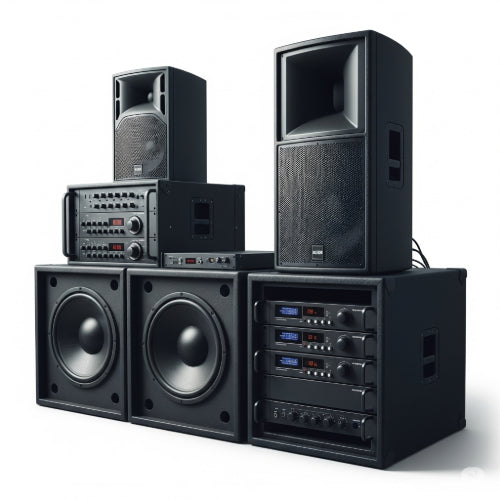
Hear Ye, Hear Ye! Essential Tips for Choosing the Right Sound System for Your Office
In today's dynamic work environment, the right sound system in your office is no longer just for playing background music. It's a critical tool for clear communication in meetings, effective video conferencing, engaging presentations, and even setting the right ambiance for employee focus and well-being. Whether you're setting up a bustling co-working space in General Trias, a quiet professional office, or a dynamic presentation room, choosing the right audio solution can make all the difference.
But with so many options available, how do you pick the perfect sound system for your specific needs? Here are essential tips to guide your decision:
1. Define Your Primary Use Cases
Before looking at any equipment, determine what you'll primarily use the sound system for. This is the most crucial step.
- Background Music/Ambiance: For common areas, lobbies, or open-plan offices where subtle background music can enhance mood and productivity.
- Video Conferencing & Online Meetings: Requires clear voice pickup and playback, often integrating with cameras and display systems. This is vital for connecting with remote teams or clients.
- Presentations & Training: Needs robust sound projection for speaking engagements, multimedia presentations, and training sessions.
- Public Address (PA) / Announcements: For paging, emergency broadcasts, or general announcements across larger areas.
- Hybrid Use: Most offices will have a combination of these needs. Prioritize which is most important.
2. Assess Your Office Space & Acoustics
The physical environment of your office significantly impacts sound quality.
- Room Size & Shape: Larger rooms require more powerful speakers and better microphone coverage. Oddly shaped rooms or those with hard surfaces (glass, concrete) are prone to echo and reverb.
-
Room Materials:
- Hard Surfaces: Glass walls, bare floors, and unadorned ceilings will cause sound to bounce, leading to echoes and poor intelligibility.
- Soft Furnishings: Carpets, curtains, upholstered furniture, and acoustic panels absorb sound, leading to clearer audio. If your room is too "live," consider adding acoustic treatments.
- Ambient Noise: Consider external noise (traffic, construction) or internal noise (HVAC, office chatter) that the system needs to overcome or filter out.
3. Choose the Right Speaker Type & Placement
Speakers are your output. Their type and placement are key to even sound distribution.
- Ceiling Speakers: Discreet, offer good coverage in open areas or meeting rooms, and are aesthetically pleasing. Ideal for background music and voice.
- Wall-Mounted Speakers: Good for focused sound in presentation rooms or larger meeting spaces. Can be directional.
- Soundbars: Excellent for video conferencing rooms, often integrating with displays and providing surprisingly good voice clarity. Many come with built-in microphones.
- Portable/Bluetooth Speakers: Useful for small, informal huddle spaces or personal office use, but generally not sufficient for larger, professional setups.
- Placement: Aim for even sound distribution. Avoid placing speakers directly facing hard surfaces that can reflect sound back.
4. Microphone Selection: Clarity is King for Conferences
For any form of conferencing or presentation, microphone quality is paramount. If people can't hear you clearly, the meeting is doomed.
- Tabletop Boundary Microphones: Good for small to medium meeting rooms. Pick up sound from all directions on a table.
- Tabletop USB Microphones: Simple plug-and-play for individual workstations or small huddle rooms.
- Ceiling Array Microphones: Discreet, powerful, and use beamforming technology to focus on voices and reject ambient noise. Ideal for larger, high-end conference rooms.
- Wireless Microphones (Handheld/Lavalier): Essential for presentations or training sessions where the speaker moves around.
- Echo Cancellation: Ensure your microphone system or conferencing platform has robust echo cancellation to prevent feedback.
5. Connectivity and Integration
How will all your components connect and work together?
- Wired vs. Wireless: Wired connections (Ethernet, HDMI, XLR) are generally more reliable for critical systems. Wireless (Bluetooth, Wi-Fi-based audio) offers flexibility but can be prone to interference.
- Inputs: Do you need inputs for laptops, smartphones, dedicated conferencing hardware, or other AV sources?
- Central Control: For complex systems, a central control unit (like a control panel or a PC with AV software) can simplify management and switching between sources.
- Platform Compatibility: Ensure your chosen hardware is compatible with your preferred video conferencing platforms (Zoom, Microsoft Teams, Google Meet, etc.).
6. Budget and Scalability
- Set a Realistic Budget: Quality audio equipment is an investment. Balance your budget with your needs.
- Scalability: Consider if your system can be expanded in the future. Can you add more speakers, microphones, or integrate with new technologies down the line?
7. Professional Installation & Support
For anything beyond a basic, single-room setup, consider professional help.
- AV Integrators: Companies specializing in Audio-Visual solutions can design a system tailored to your space, install it correctly, and provide ongoing support. This is particularly valuable for larger offices or complex conference rooms in a booming area like Calabarzon.
- Testing: Thoroughly test your system in real-world scenarios before putting it into full use.
By carefully considering these tips, you can select and set up an office sound system that not only meets your functional needs but also enhances collaboration, communication, and the overall professional atmosphere of your workspace. Hear better, work better!





