
Light Up Your Day: Office Lighting Tips for Productivity and and Comfort
In the modern office, we often meticulously choose our ergonomic chairs, high-resolution monitors, and powerful computers. Yet, one of the most critical elements influencing our productivity, comfort, and even our well-being often gets overlooked: lighting. Poor office lighting can lead to eye strain, headaches, fatigue, and even reduced morale, directly impacting efficiency.
The right lighting, however, can transform your workspace into a vibrant, comfortable, and highly productive environment. It's about more than just brightness; it's about quality, control, and thoughtful design.
Why Lighting Matters More Than You Think:
Consider the impact of bad lighting: squinting at your screen, feeling drowsy in a dim room, or battling glare. These aren't minor inconveniences; they're productivity inhibitors. Good lighting, conversely:
-
Reduces Eye Strain & Fatigue: Proper illumination minimizes the effort your eyes need to exert.
-
Boosts Focus & Concentration: A well-lit space keeps you alert and engaged.
-
Improves Mood & Well-being: Natural light, in particular, has a profound positive effect on mood and circadian rhythms.
-
Enhances Visual Comfort: Tasks become easier and more enjoyable when you can see clearly without glare or harsh shadows.
Bright Ideas: Top Lighting Tips for Your Office
Here's how to illuminate your path to better productivity and comfort:
1. Maximize Natural Light: Your Best Friend
-
Position Your Desk: Ideally, place your desk perpendicular to a window. This allows you to benefit from natural light without direct glare on your screen or shadows cast on your work area.
-
Avoid Backlighting: Never sit with your back directly to a window without proper blinds or curtains, as this creates harsh glare on your monitor.
-
Use Sheer Blinds or Curtains: Control direct sunlight and reduce glare while still allowing ambient light to filter in.
-
Keep Windows Clean: A simple step that makes a big difference in the amount of light entering your space.
2. Layer Your Lighting: A Multi-Source Approach
Relying on a single overhead light is rarely sufficient. Think in layers:
-
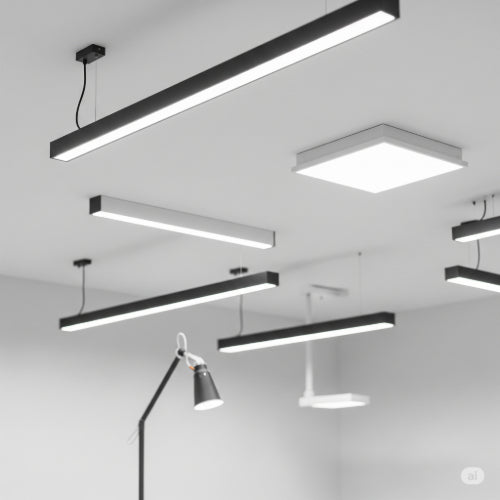
Ambient (General) Lighting: Provides overall illumination for the room. This could be overhead fixtures, recessed lighting, or large ceiling-mounted panels. Aim for even, comfortable brightness.
-
Task Lighting: Crucial for focused work. A good desk lamp directs light precisely where you need it – on documents, keyboards, or specific work areas – without creating glare on your screen. Look for adjustable lamps with dimming features.
-
Accent Lighting (Optional): While less common in a purely functional office, accent lighting can add visual interest or highlight specific features without contributing to primary illumination.
3. Control Glare and Reflections: The Productivity Killers
Glare is a primary source of eye strain.
-
Monitor Placement: Angle your monitor to avoid reflections from windows or overhead lights. Anti-glare screens can also help.
-
Indirect Lighting: Opt for fixtures that bounce light off walls or ceilings rather than shining directly down.
-
Avoid Bare Bulbs: Exposed bulbs, especially fluorescent tubes or harsh LEDs, can cause significant glare. Use diffusers or fixtures that shield the light source.
4. Choose the Right Color Temperature: Set the Mood and Focus
Light color temperature (measured in Kelvin, K) affects mood and perceived brightness:
-
Cool White (4000K-5000K): Ideal for task-oriented work, promoting alertness and focus. This is common in many office settings.
-
Neutral White (3500K-4000K): A good balance for general office use, offering a clean, bright feel without being overly stark.
-
Warm White (2700K-3000K): More relaxing and comfortable, suitable for break areas or less intensive work zones. Avoid for primary task lighting.
Consider LED bulbs with adjustable color temperature settings for maximum flexibility.
5. Prioritize Adjustability and Smart Solutions:
-
Dimmers: Allow you to adjust light intensity based on time of day, natural light availability, or specific tasks.
-
Adjustable Desk Lamps: A flexible arm and head on a desk lamp enable you to direct light exactly where it's needed.
-
Occupancy Sensors: For shared spaces or conference rooms, sensors can turn lights off automatically when no one is present, saving energy.
-
Daylight Harvesting Systems: These systems automatically dim artificial lights when sufficient natural light is available, optimizing energy use.
Don't underestimate the power of good lighting. By thoughtfully designing your office illumination, maximizing natural light, layering artificial sources, and controlling glare, you can create a workspace that not only looks professional but also significantly enhances your productivity, comfort, and overall well-being. Shine a light on a better workday





