
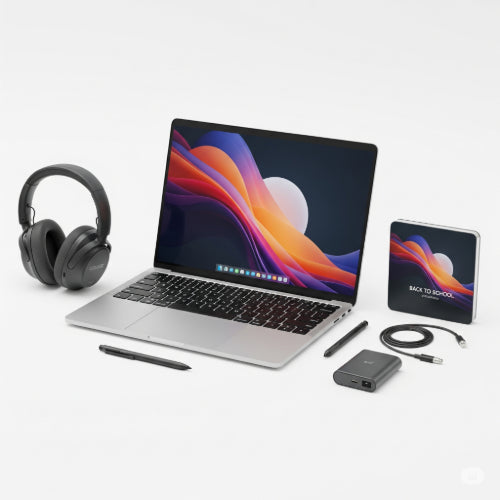
Power Up Your Learning & Work: The Best Back-to-School Tech for Students and Professionals
As summer winds down and the new academic or work season approaches, the focus shifts to preparation. Whether you're heading back to a classroom, diving into new projects, or simply looking to enhance your productivity, having the right tech can make all the difference. Beyond just textbooks and notebooks, a strategically chosen set of gadgets can streamline your workflow, boost your learning, and keep you organized.
Here’s a rundown of the best back-to-school tech essentials for both students hitting the books and professionals leveling up their careers:
For the Student: Mastering Academics with Smart Tools
Students today have an incredible array of technology at their fingertips to enhance their learning journey.
-
Reliable Laptop or Tablet:
- Students: A lightweight yet powerful laptop (like a good Chromebook, MacBook Air, or mid-range Windows laptop) is crucial for research, writing papers, and online classes. For those who prefer handwritten notes or artistic pursuits, a versatile tablet with a stylus (like an iPad or a Microsoft Surface) can be invaluable.
- Key Features to Look For: Long battery life, sufficient RAM (8GB+), SSD storage, and a comfortable keyboard.
-
Noise-Canceling Headphones:
- Students: Essential for focusing in a busy dorm, a noisy coffee shop, or even a bustling library. They help create a personal zone of concentration, perfect for studying or attending online lectures.
- Consider: Over-ear for maximum isolation or true wireless earbuds for portability.
-
Portable SSD (Solid State Drive):
- Students: For quick backups of assignments, projects, and important files. Much faster and more durable than traditional external hard drives. Ideal for sharing large files with group members.
- Capacity: 500GB to 1TB is usually sufficient.
-
Smart Reusable Notebook (e.g., Rocketbook):
- Students: Combines the feel of pen and paper with digital convenience. You can write notes, then scan them to the cloud (Google Drive, OneNote, etc.) and wipe the page clean. Environmentally friendly and highly practical.
-
Quality Webcam and Microphone (External):
- Students: For online classes, group video calls, or virtual presentations. Built-in laptop cameras and mics are often subpar. A good external setup ensures you look and sound professional.
For the Professional: Elevating Efficiency and Collaboration
Professionals need tech that supports complex tasks, facilitates communication, and maintains peak productivity throughout the workday.
-
High-Performance Laptop or Desktop:
- Professionals: Depending on your field (e.g., graphic design, coding, data analysis), you might need more processing power, ample RAM (16GB+), and potentially a dedicated graphics card. Desktops offer more power for less cost if portability isn't an issue.
- Key Features to Look For: Powerful CPU (Intel Core i7/i9 or AMD Ryzen 7/9), ample RAM, fast SSD, and robust connectivity options.
-
Ultra-Wide or Dual Monitors:
- Professionals: Significantly boosts multitasking capabilities. Having multiple windows visible simultaneously eliminates constant alt-tabbing, speeding up workflows for tasks like data analysis, coding, or managing multiple applications.
- Consider: A single ultra-wide curved monitor for an immersive experience or two standard monitors for maximum screen real estate.
-
Ergonomic Keyboard and Mouse:
- Professionals: Essential for preventing repetitive strain injuries (RSI) during long workdays. Ergonomic designs promote a more natural hand and wrist position.
- Look For: Split keyboards, vertical mice, and programmable buttons for efficiency.
-
High-Quality Headset with Microphone:
- Professionals: Crucial for clear communication during video conferences, client calls, and virtual team meetings. Noise cancellation is key for minimizing distractions in busy home or office environments.
- Consider: Wireless options for freedom of movement.
-
Portable Docking Station/USB-C Hub:
- Professionals: Simplifies connecting your laptop to external monitors, peripherals, and network cables with a single connection, ideal for hot-desking or hybrid work models.
-
Subscription to Cloud Storage & Productivity Suites:
- Both: Services like Microsoft 365, Google Workspace, or Dropbox ensure your documents are accessible from anywhere, backed up, and easily shareable.
Making Your Choice:
Before making any purchases, assess your specific needs and budget. Research reviews, compare features, and consider how each piece of tech will integrate into your daily routine. The right tools won't just make your work easier; they'll empower you to learn more effectively, work more efficiently, and achieve your goals with confidence. Get ready to power up for the new season!





