
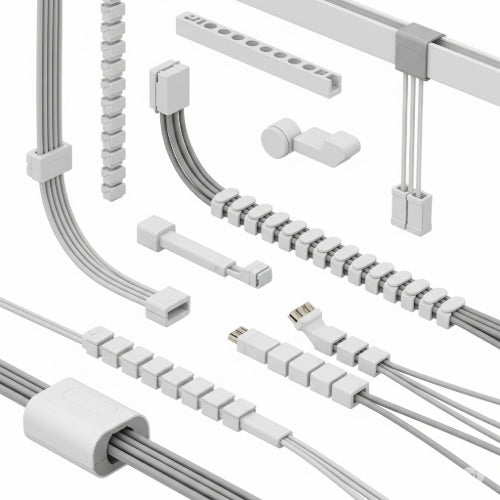
Tame the Tangle: How to Organize Cables and Cords in Your Office with Cable Management Systems
Is your office desk a battlefield of tangled cables, dusty power strips, and tripping hazards? You're not alone. Cable clutter is a common culprit behind messy workspaces, frustrated searches for the right charger, and even potential safety risks. But fear not, the solution is simpler and more effective than you might think: dedicated cable management systems.
Investing a little time and effort into organizing your cables can transform your office from chaotic to calm, boosting both aesthetics and efficiency. Here's how to achieve a streamlined, tangle-free workspace using the right cable management solutions:
1. Assess Your Cable Clutter (and Your Needs):
Before you start buying products, take stock of your current situation.
- Identify all cables: Laptops, monitors, chargers, lamps, printers, network cables, external hard drives – make a list.
- Trace their paths: Where do they go? Which ones are essential? Which ones are temporary or rarely used?
- Consider your setup: Do you have a standing desk? A wall-mounted monitor? How many power outlets do you need?
This assessment will help you choose the most appropriate cable management solutions.
2. The Essential Toolkit: Your Cable Management Arsenal
- Cable Ties (Reusable & Disposable): The absolute basics. Velcro cable ties are fantastic for bundling groups of cables together and are easily adjustable. Zip ties offer a more permanent hold.
- Cable Sleeves/Wraps: These are excellent for concealing multiple cables into one neat bundle. They come in various materials (neoprene, braided) and can protect cables while making them look tidy.
- Cable Clips/Clamps: Perfect for routing individual cables along the edge of your desk, wall, or furniture leg. Adhesive-backed clips are easy to apply.
- Cable Management Boxes: These are a game-changer for concealing power strips and their associated excess cables. Simply place your power strip and plugs inside the box, and guide the necessary cords out of designated openings. Instant visual declutter!
- Under-Desk Cable Trays/Baskets: These attach to the underside of your desk, providing a hidden channel or basket for routing power strips, adapters, and excess cable length. They keep everything off the floor and out of sight.
- Desk Grommets/Cable Pass-throughs: If your desk doesn't have them, these can be installed to create clean entry/exit points for cables, guiding them through the desk surface rather than trailing over the edge.
- Adhesive Cable Organizers/Hiders: These strips can be stuck to walls or desks to completely conceal cables, often paintable to blend in with your decor.
3. Strategic Implementation: A Step-by-Step Approach
- Unplug Everything: Start with a clean slate. This allows you to identify what's truly needed.
- Dust and Clean: While everything is unplugged, take the opportunity to clean around your desk, behind your monitor, and on the floor.
- Identify Power Source & Routing: Decide where your main power strip(s) will be located (e.g., in a cable management box on the floor, or in an under-desk tray).
- Bundle Like with Like: Group cables that go to the same general area or serve the same device. For example, all monitor cables, or all charging cables for mobile devices. Use cable ties or sleeves for these bundles.
- Shorten Excess Length: If a cable is much longer than needed, use a cable tie to coil up the excess. Avoid severe kinks.
- Route Along Edges: Utilize cable clips to guide cables along the underside or back edge of your desk. This keeps them out of the way and visually neat.
- Label When Necessary: For complex setups, small labels on each end of a cable can save immense frustration when troubleshooting or reconfiguring.
- Elevate Power Strips (When Possible): If not using a cable box, consider mounting power strips to the underside of your desk or wall to keep them off the floor.
- Vertical Management: Use wall-mounted solutions like pegboards or shelves for chargers, headphones, or other frequently used items that tend to add to desk clutter.
4. Maintain the Order:
Cable management isn't a one-time fix.
- Regular Check-ins: Periodically review your cable situation. New devices mean new cables.
- Immediate Organization: When you add a new device, integrate its cable into your system right away, don't just let it dangle.
- Be Patient: It might take a bit of trial and error to find the perfect system for your specific setup.
By investing in and consistently applying cable management techniques, you'll create an office space that's not only visually appealing but also more functional, safer, and conducive to focused, productive work. Say goodbye to the spaghetti monster and hello to a streamlined, serene office!





