
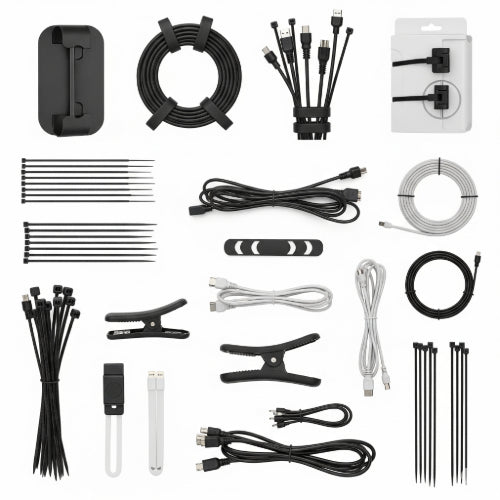
Tame the Tangle: The Best Cable Management Tools for a Neat and Organized Office
In today's tech-driven office, cables are an unavoidable reality. Computers, monitors, chargers, peripherals, networking equipment – they all come with a spaghetti of wires that can quickly turn a productive workspace into a frustrating, messy hazard. Beyond the visual clutter, tangled cables can hinder airflow, make troubleshooting difficult, and even pose a tripping risk.
The good news? Achieving a neat and organized office free from cable chaos is entirely within reach with the right cable management tools. Investing a little time and a few smart solutions can transform your workspace, boosting both aesthetics and efficiency.
Here are some of the best cable management tools for any office environment:
1. Cable Sleeves and Wraps
- What they are: Flexible tubes or wraps, often made from neoprene or braided fabric, that bundle multiple cables together.
- Benefits: Instantly tidy up a cluster of wires running to monitors or under desks. They protect cables from dust and wear, and make them much easier to identify and manage. Some are open-ended for easy insertion, while others zip up or use Velcro.
- Best for: Grouping cables from a monitor to a PC, or from a desk to a wall outlet.
2. Cable Ties (Velcro or Reusable)
- What they are: Simple straps used to bind individual or small groups of cables. Velcro versions are highly versatile and reusable.
- Benefits: Inexpensive, easy to use, and perfect for quick organization. Velcro ties are particularly good because they can be loosened and re-tightened as your cable needs change, unlike single-use plastic zip ties.
- Best for: Tying up excess cable length, organizing cables within a small bundle, or securing cables to desk legs.
3. Cable Clips and Clamps
- What they are: Small adhesive-backed clips or screw-in clamps that attach to the edge of desks, walls, or furniture to hold cables in place.
- Benefits: Prevent cables from falling behind desks or getting tangled underfoot. They keep wires neatly routed along surfaces.
- Best for: Securing charging cables to a desk edge, routing network cables along a wall, or keeping monitor cables from dangling.
4. Cable Trays and Channels
- What they are: Open trays or enclosed channels that mount underneath desks or along walls, providing a discrete pathway for cables.
- Benefits: Ideal for managing a large volume of cables (power strips, data cables) that run horizontally or vertically. They keep cables completely out of sight and protected.
- Best for: Running power cables and networking lines underneath an entire row of desks, or routing cables neatly from a floor box to a workstation.
5. Cable Management Boxes
- What they are: Decorative boxes designed to hide power strips, excess cable length, and even small adapters. They typically have cutouts for cable entry and exit.
- Benefits: Aesthetically pleasing solution for hiding unsightly power strips and the associated cable mess, especially in visible areas like under a reception desk or beside a monitor.
- Best for: Hiding power strips and their connected cords on or near the desk surface.
6. Desk Cable Grommets
- What they are: Circular or rectangular inserts that fit into a pre-drilled hole in a desk, allowing cables to pass through neatly from the desk surface to equipment underneath.
- Benefits: Creates a clean, professional look by funneling cables directly through the desk. Reduces tangling on the desktop.
- Best for: Desks where equipment needs power and data connections that run to under-desk components.
7. Adhesive Cable Holders/Organizers
- What they are: Small, often silicone or plastic, holders with adhesive backing that attach to any smooth surface to grip and organize single cables.
- Benefits: Perfect for keeping charging cables from slipping off your desk or for routing peripheral cables precisely.
- Best for: Headphone cables, phone charging cables, or mouse/keyboard wires that need to stay in a specific spot.
Tips for Effective Cable Management:
- Plan First: Before you start, trace all your cables and visualize the cleanest path for them.
- Bundle Sparingly: Don't bundle everything into one giant snake. Group cables by their destination or function (e.g., power cables together, data cables together).
- Leave Some Slack: Avoid pulling cables too taut, which can damage them or connected ports. Leave a little slack for flexibility.
- Label Cables: For complex setups, small labels at each end of a cable can save immense time during troubleshooting or equipment changes.
- Start Small: Don't feel overwhelmed. Pick one area (e.g., under your monitor) and start tidying there.
By integrating a few of these simple yet effective cable management tools into your office setup, you'll not only create a more organized and aesthetically pleasing environment but also foster a more productive and safer workspace for everyone. Say goodbye to the cable monster and hello to clarity!





