
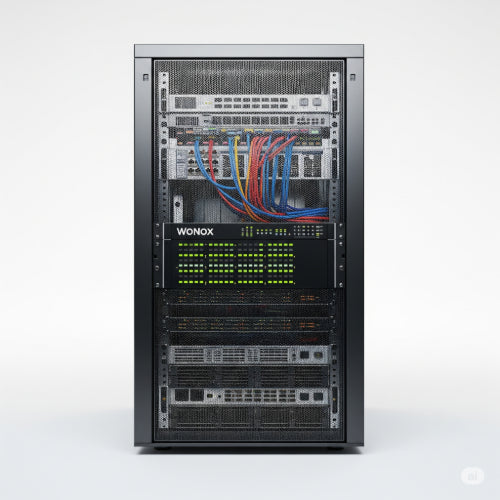
The Unsung Hero: How to Maintain Your Server Rack and Equipment for Longevity
In the silent hum of a data center or server room, lies the backbone of modern operations: server racks brimming with critical equipment. These racks are more than just metal frames; they are carefully designed ecosystems crucial for the performance, reliability, and longevity of your servers, switches, storage, and other network gear. Neglecting their upkeep can lead to costly downtime, premature equipment failure, and a host of performance issues.
Maintaining your server rack and its contents isn't just a chore; it's an investment in your infrastructure's future. Here's a comprehensive guide to keeping your digital heart beating strong.
1. The Environment: Temperature and Humidity are Key
Heat and moisture are the sworn enemies of electronics. Proper environmental control is paramount.
-
Temperature Management:
-
Goal: Maintain a consistent, optimal temperature, typically between and ( and ).
-
Action: Ensure your server room's HVAC system is functioning correctly. Monitor temperatures regularly using sensors inside the rack and the room. Block unused rack spaces with blanking panels to prevent hot air recirculation (known as "hot spots").
-
-
Humidity Control:
-
Goal: Keep relative humidity between 40% and 60%. Too low can cause static discharge; too high can lead to condensation and corrosion.
-
Action: Use a humidistat to monitor humidity. Employ dehumidifiers or humidifiers as needed.
-
2. Airflow: The Breath of Your Equipment
Proper airflow prevents heat buildup and ensures components stay within operating temperatures.
-
Front-to-Back Airflow: Most modern server equipment is designed for front-to-back airflow. Ensure your rack setup supports this.
-
Blanking Panels: Crucial for efficient cooling. Install blanking panels in all unused rack units (U-spaces) to prevent hot exhaust air from the rear of the rack from cycling back to the front, where equipment takes in cool air.
-
Cable Management:
-
Mistake to Avoid: Bundles of cables blocking airflow paths.
-
Action: Use vertical and horizontal cable management solutions (cable ties, Velcro straps, cable managers) to route cables neatly away from air vents and fan exhausts. Don't over-tighten cable ties, as this can damage cables.
-
-
Regular Cleaning:
-
Action: Dust is an insulator and a conductive hazard. Regularly (quarterly or bi-annually, depending on environment) clean filters on cooling units. Use compressed air (NOT a vacuum cleaner, which can generate static) to gently clear dust from server fans, vents, and power supplies. Ensure equipment is powered down before cleaning.
-
3. Power Management: Stability and Protection
A reliable power supply is non-negotiable for longevity.
-
UPS Systems:
-
Action: Ensure your Uninterruptible Power Supply (UPS) is correctly sized for your load and regularly tested. Batteries in UPS units have a finite lifespan (typically 3-5 years) and need periodic replacement. Monitor UPS alarms and battery health.
-
-
Power Distribution Units (PDUs):
-
Action: Use high-quality PDUs that provide proper surge protection and allow for organized power distribution within the rack. Consider intelligent PDUs for remote power cycling and monitoring.
-
-
Load Balancing:
-
Action: Distribute your equipment's power draw evenly across different circuits and PDUs to avoid overloading individual lines.
-
4. Cable Management: Beyond Airflow
Good cable management isn't just for aesthetics or airflow; it's vital for troubleshooting and preventing accidental disconnections.
-
Labeling:
-
Action: Label every cable at both ends with clear, consistent labels (e.g., "Server 1 NIC 1 to Switch 2 Port 15"). This is a lifesaver during troubleshooting or upgrades.
-
-
Color-Coding:
-
Action: Use different colored patch cables for different purposes (e.g., green for network, blue for iLO/remote management, yellow for storage).
-
-
Length:
-
Action: Use cables of appropriate length – avoid excessively long cables that create clutter and restrict airflow, or overly short ones that put strain on ports.
-
5. Regular Inspections and Documentation
Proactive monitoring and documentation prevent small issues from becoming major disasters.
-
Visual Inspections:
-
Action: Regularly (e.g., weekly or monthly) visually inspect your racks for:
-
Loose cables or connections.
-
Unusual lights or error indicators on equipment.
-
Dust buildup.
-
Signs of overheating (discoloration).
-
Unusual noises (fans, drives).
-
-
-
Firmware and Software Updates:
-
Action: Keep server firmware, network device firmware, and operating systems updated. These updates often include performance improvements, bug fixes, and security patches critical for stability.
-
-
Documentation:
-
Action: Maintain up-to-date documentation for your rack layout, IP addresses, cable mapping, power configurations, and maintenance schedules. This is invaluable for new team members and during emergencies.
-
By treating your server rack and its contents as a living, breathing system that requires ongoing attention, you significantly extend the lifespan of your valuable IT assets, reduce the risk of unexpected outages, and ensure your operations run smoothly for years to come.





