
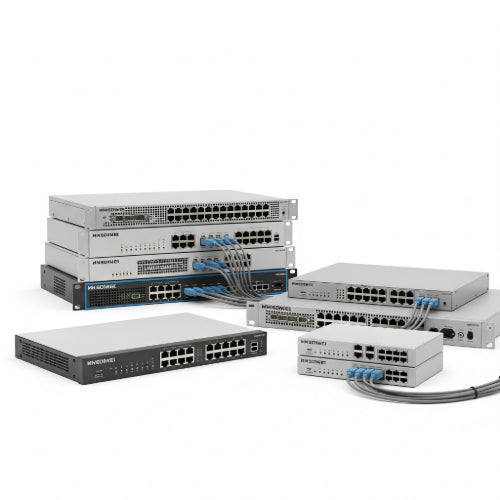
Unlock Seamless Connectivity: How Network Switches Supercharge Your Office
In today's digital-first business landscape, a reliable and efficient network is the lifeblood of any office. Slow speeds, dropped connections, and bandwidth bottlenecks can cripple productivity and frustrate your team. While your router handles the connection to the outside world, network switches are the unsung heroes that manage traffic within your local network, ensuring smooth and optimized communication between all your connected devices.
Think of a network switch as a smart traffic director for your office's digital data. Instead of blindly sending data to every connected device (like a simpler network hub), a switch intelligently forwards data only to the intended recipient. This fundamental difference is key to optimizing your office connectivity.
Here's how to leverage network switches to enhance your office's network performance:
1. Understanding the Basics: Managed vs. Unmanaged Switches
- Unmanaged Switches: These are plug-and-play devices ideal for small offices or home networks with basic connectivity needs. They require no configuration and simply forward data based on MAC addresses. While simple, they offer limited control and diagnostic capabilities.
- Managed Switches: These more advanced switches offer a wealth of configuration options and features, allowing you to fine-tune your network for optimal performance. They often support VLANs, QoS, link aggregation, and network monitoring. While they require some technical knowledge to set up and manage, they provide significant benefits for businesses with more complex networking requirements.
For optimizing office connectivity, managed switches are generally the way to go.
2. Implementing VLANs (Virtual Local Area Networks): Segment Your Network for Efficiency
- What they do: VLANs allow you to logically segment your physical network into multiple independent broadcast domains. This means devices on different VLANs can't directly communicate with each other, even if they're connected to the same physical switch.
-
How it optimizes:
- Improved Security: Isolate sensitive data by placing departments like finance or HR on separate VLANs.
- Enhanced Performance: Reduce broadcast traffic within each VLAN, preventing unnecessary data from flooding the entire network and improving overall speed.
- Simplified Management: Group devices by department or function, making network management and troubleshooting easier.
- Example: You could create separate VLANs for your general office network, VoIP phones, guest Wi-Fi, and security cameras.
3. Prioritizing Traffic with QoS (Quality of Service): Ensure Critical Applications Perform Smoothly
- What it does: QoS allows you to prioritize certain types of network traffic over others. This ensures that critical applications, like VoIP calls or video conferencing, receive the necessary bandwidth even during periods of high network usage.
-
How it optimizes:
- Clear Voice and Video: Prioritize VoIP traffic to prevent dropped calls and choppy video during online meetings.
- Smooth Streaming: Ensure uninterrupted streaming for important presentations or collaborative design sessions.
- Guaranteed Bandwidth: Allocate sufficient bandwidth to essential business applications.
- Configuration: Managed switches allow you to define QoS policies based on port, MAC address, IP address, or application type.
4. Increasing Bandwidth with Link Aggregation (LAG/Port Trunking): Combine Connections for Higher Throughput
- What it does: Link aggregation allows you to combine multiple physical Ethernet connections between two switches or between a switch and a high-bandwidth device (like a network-attached storage (NAS) unit) into a single logical link.
-
How it optimizes:
- Increased Bandwidth: Provides significantly higher data transfer speeds for bandwidth-intensive tasks.
- Improved Redundancy: If one link in the aggregated group fails, the other links continue to operate, ensuring network availability.
- Use Cases: Connecting core switches, linking switches to servers with high network demands, and providing faster access to shared storage.
5. Strategic Switch Placement and Cabling:
- Centralized Location: Position your switches in a secure, well-ventilated location that is easily accessible for maintenance.
- Structured Cabling: Implement a structured cabling system with clearly labeled cables. This makes troubleshooting and future upgrades much simpler.
- Appropriate Cable Types: Use the correct category of Ethernet cables (Cat 5e, Cat 6, etc.) to support the desired network speeds.
6. Network Monitoring: Keep an Eye on Performance
- Managed switch features: Many managed switches offer built-in monitoring capabilities, allowing you to track network traffic, identify potential bottlenecks, and diagnose issues.
- SNMP (Simple Network Management Protocol): Utilize SNMP to gather data from your switches and integrate it with network monitoring software for a comprehensive view of your network health.
Investing in the right network switches and configuring them effectively is a crucial step in optimizing your office connectivity. By implementing VLANs, QoS, link aggregation, and practicing good network management, you can ensure a fast, reliable, and secure network that empowers your team to work efficiently and productively.





