
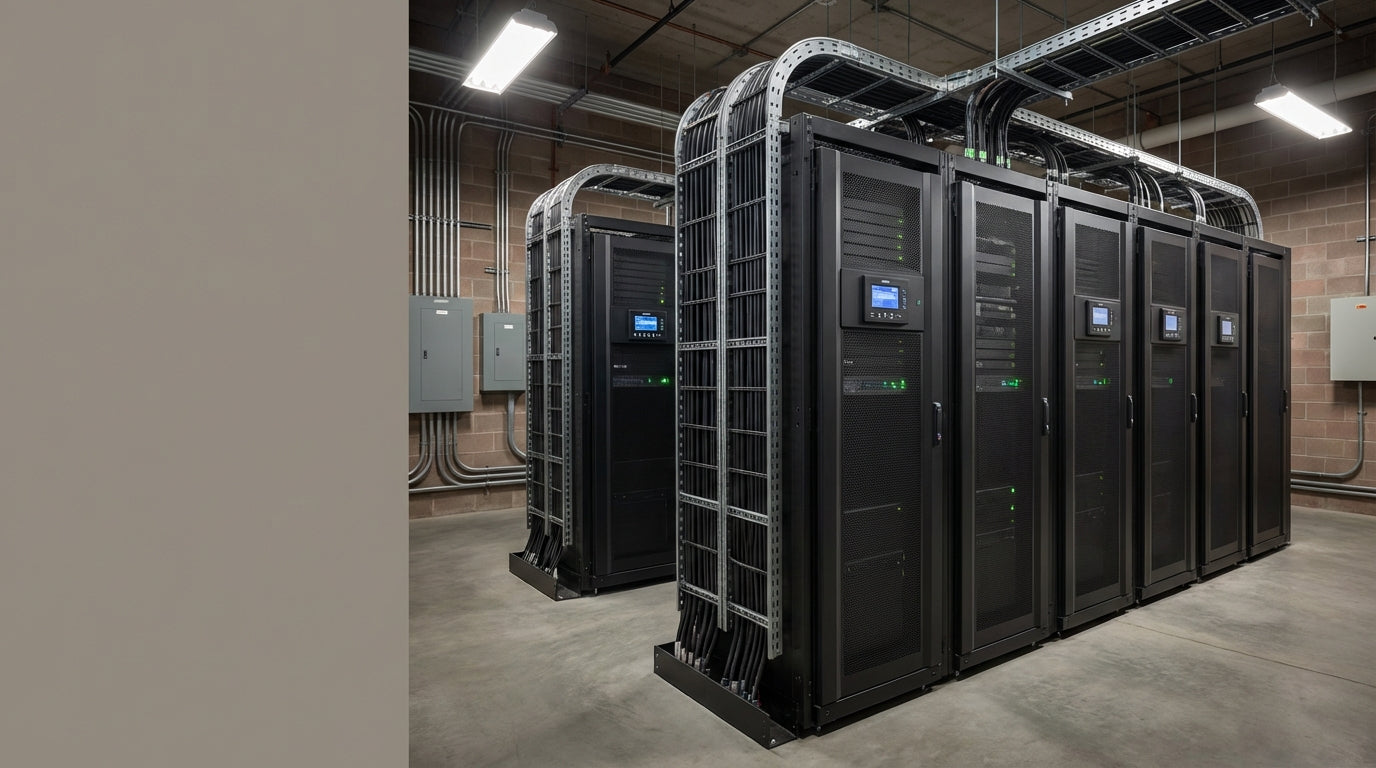
Industrial UPS Buying Guide: How to Choose the Right System
Understanding Industrial UPS: Power Protection for Critical Operations
Industrial UPS systems are the backbone of reliable power protection in manufacturing, processing, and infrastructure environments where downtime isn't just inconvenient—it's costly and potentially dangerous. Unlike office UPS units designed for computers and light equipment, industrial systems must handle heavy machinery, motor-driven loads, and harsh operating conditions while providing uninterrupted power for hours or even days.
Choosing the wrong industrial UPS can lead to equipment damage, production losses, or safety hazards. This guide walks you through the key differences between industrial and commercial systems, critical specifications that matter, and how to size a solution that protects your operations without overspending.
At Tecisoft, we've helped industrial facilities across North America implement robust power protection strategies that keep critical processes running through outages, voltage fluctuations, and electrical disturbances.
What Makes Industrial UPS Different from Commercial Systems
Power Capacity and Load Handling
Industrial UPS systems handle much larger loads—typically 100 kVA to several megawatts—compared to commercial units that max out around 100 kVA. More importantly, they're designed to support 100% non-linear loads without tripping, which is critical for motor-driven equipment that draws high inrush currents during startup.
Construction and Durability
Heavy-duty enclosures: Industrial units use heavy gauge steel (up to 2mm thick) with specialized industrial paint coatings for long-term protection against dust, moisture, and vibration.
Extended lifespan: Industrial systems operate reliably for 20-30 years versus 5-10 years for commercial units, making them a better long-term investment despite higher upfront costs.
24/7 operation: Designed for continuous operation without shutdowns, with redundant components and advanced cooling systems.
Advanced Protection Features
- Galvanic isolation for electrical safety in industrial environments
- Wide input voltage tolerance to handle unstable utility power
- Fast response times during voltage drops to prevent equipment damage
- Built-in surge protection against electrical noise from heavy machinery
- Parallel redundant operation for N+1 redundancy in critical facilities
Types of Industrial UPS Systems
Online (Double Conversion) UPS
Provides the highest level of protection by continuously converting AC to DC and back to AC, completely isolating connected equipment from utility power variations.
Best for:
- Critical manufacturing processes
- Precision equipment sensitive to power fluctuations
- Operations requiring guaranteed clean power
Line-Interactive UPS
Uses automatic voltage regulation to correct minor power problems without switching to battery power, extending battery life while providing good protection.
Best for:
- Industrial facilities with relatively stable utility power
- Cost-sensitive applications requiring good protection
- Equipment that can tolerate brief transfer times
Standby UPS
Switches to battery power only during outages. Less common in industrial applications due to transfer time limitations.
Best for:
- Non-critical support equipment
- Emergency lighting systems
- Basic backup requirements with tight budgets
Critical Sizing and Capacity Considerations
Load Assessment
Step 1: Calculate total connected load
- List all equipment that must remain operational during outages
- Include control systems, safety equipment, and emergency lighting
- Account for motor inrush currents (typically 6-8x running current)
Step 2: Determine power factor
- Industrial loads often have poor power factor (0.6-0.8)
- Size UPS based on kVA rating, not just kW
- Account for reactive power requirements
Step 3: Plan for growth
- Add 25-30% capacity for future expansion
- Consider seasonal load variations
- Factor in equipment aging and efficiency degradation
Runtime Requirements
Short backup (5-15 minutes): Allows for safe equipment shutdown or generator startup
Medium backup (30-60 minutes): Supports brief utility outages without production loss
Long backup (2+ hours): Enables extended operation during major grid disturbances
Battery sizing factors:
- Temperature affects battery capacity (reduce by 50% for high-temperature environments)
- Battery aging reduces capacity by 20% over 5 years
- End-of-discharge voltage affects usable capacity
Environmental Factors for Industrial Applications
Temperature Management
Operating range: Industrial UPS typically operate from -10°C to +50°C
Cooling requirements: Plan for 3-5% of UPS capacity as heat output
Ventilation: Ensure adequate airflow and consider supplemental cooling for high-ambient environments
Protection Against Harsh Conditions
Dust and particulates: Look for NEMA 12 or IP54 ratings minimum
Moisture protection: Essential for humid environments or potential wash-down areas
Vibration resistance: Critical for installations near heavy machinery
Electrical noise immunity: Protects against interference from variable frequency drives and welding equipment
Installation Environment Considerations
- Floor loading: Large UPS systems can weigh 2,000-10,000+ lbs
- Seismic requirements: May need special mounting in earthquake zones
- Code compliance: Must meet local electrical and fire codes
- Maintenance access: Plan 3-foot clearance on all sides for service
Industrial Applications and Use Cases
Manufacturing and Production
Automotive plants: Protecting robotic assembly lines and paint systems
Food processing: Maintaining refrigeration and packaging equipment
Pharmaceuticals: Supporting clean room environments and batch processes
Textiles: Protecting looms and dyeing equipment from power disturbances
Infrastructure and Utilities
Water treatment: Ensuring continuous operation of pumps and control systems
Wastewater facilities: Protecting aeration systems and chemical feed equipment
Oil and gas: Supporting pipeline controls and safety systems
Mining operations: Protecting ventilation and safety equipment underground
Critical Control Systems
SCADA systems: Maintaining supervisory control during outages
Safety instrumented systems: Ensuring fail-safe operation during power events
Emergency communications: Supporting radio and alarm systems
Fire protection: Backing up sprinkler pumps and detection systems
Installation and Integration Considerations
Electrical Integration
Utility coordination: Work with utility company for proper disconnects and metering
Generator coordination: Ensure UPS and backup generators work together properly
Grounding systems: Critical for safety and proper operation in industrial environments
Load prioritization: Implement automatic load shedding for extended runtime
Monitoring and Control Integration
SCADA integration: Connect UPS monitoring to existing plant control systems
Network monitoring: Enable remote monitoring and diagnostics
Alarm systems: Integrate UPS alarms with facility management systems
Data logging: Track power quality and system performance over time
Maintenance Planning
Preventive maintenance schedules: Plan quarterly to annual service depending on environment
Spare parts inventory: Stock critical components for rapid repair
Service contracts: Consider manufacturer or third-party maintenance agreements
Training requirements: Ensure facility staff understand basic operation and troubleshooting
Total Cost of Ownership Factors
Initial Investment Components
UPS system: 40-60% of total project cost
Installation: 15-25% including electrical work and commissioning
Batteries: 15-20% of UPS cost, requiring replacement every 3-5 years
Infrastructure: 10-15% for concrete pads, electrical panels, and cooling
Operating Costs
Energy consumption: UPS efficiency affects ongoing electricity costs
Battery replacement: Budget 20-25% of original UPS cost every 4-5 years
Maintenance: Annual service costs typically 2-4% of UPS purchase price
Insurance: May reduce facility insurance premiums through improved reliability
ROI Calculation Framework
Downtime cost analysis: Calculate hourly production loss value
Equipment protection value: Consider replacement cost of protected equipment
Power quality benefits: Factor in reduced equipment maintenance and longer life
Regulatory compliance: Account for costs of failing to meet uptime requirements
Frequently Asked Questions
How do I calculate the right UPS size for my facility?
Start with your critical load inventory in kW, convert to kVA using your power factor (typically 0.8 for industrial loads), then add 25-30% for growth and safety margin. Don't forget to account for motor starting currents which can be 6-8 times running current.
What's the difference between online and line-interactive UPS for industrial use?
Online UPS provides continuous power conditioning and zero transfer time, making it ideal for sensitive processes. Line-interactive offers good protection at lower cost but has brief transfer times that some equipment may not tolerate.
How long should my UPS provide backup power?
This depends on your process criticality and generator availability. Most facilities need 15-30 minutes for safe shutdown or generator startup. Critical processes may require hours of runtime to avoid product loss or equipment damage.
Can I add battery capacity later to extend runtime?
Most industrial UPS systems allow battery expansion, but this should be planned during initial installation. Adding batteries later may require additional electrical work and space that's expensive to retrofit.
What maintenance does an industrial UPS require?
Plan for quarterly visual inspections, annual electrical testing, and battery replacement every 3-5 years. Harsh environments may require more frequent service. Many facilities benefit from manufacturer service contracts.
How do I integrate UPS monitoring with my plant control system?
Modern industrial UPS systems offer various communication protocols including Modbus, Ethernet, and SNMP for integration with SCADA systems. Plan for network connectivity and operator training during installation.
Making Your Industrial UPS Decision
Choose your industrial UPS based on three primary factors: criticality of your processes, harshness of your environment, and growth timeline. Don't compromise on protection for critical operations—the cost of a single extended outage often exceeds the price difference between adequate and robust protection.
For most industrial applications, online UPS technology provides the best protection against power disturbances, while line-interactive systems offer good protection for less sensitive loads at lower cost.
Decision checklist:
- Inventory all critical loads and calculate total kVA requirements
- Determine required backup runtime for your processes
- Assess environmental conditions (temperature, dust, vibration)
- Plan for integration with existing electrical and control systems
- Calculate total cost of ownership including installation and maintenance
- Verify compliance with local codes and industry standards
Ready to protect your critical operations? Explore our industrial UPS range at Tecisoft, where our power protection specialists can help you design a solution that keeps your facility running through any power disturbance.
Ready to find the right solutions for your needs?
Explore Collection




