
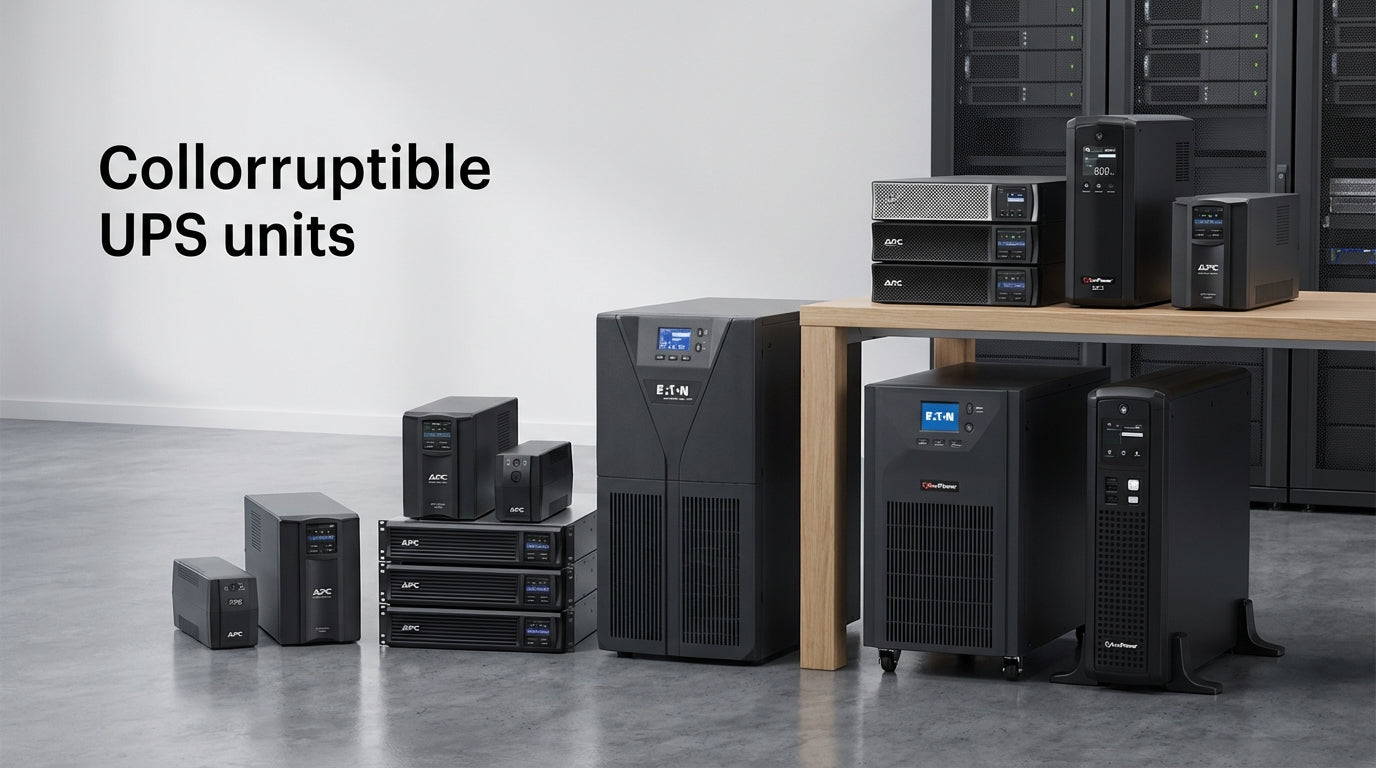
UPS Buying Guide: How to Choose the Right Battery Backup System
Why UPS Systems Leave Buyers Confused—And How to Choose Right
Power outages, voltage spikes, and electrical surges can destroy thousands of dollars of IT equipment in seconds. Yet most business owners and home office workers feel overwhelmed when shopping for an uninterruptible power supply (UPS) system.
The confusion is understandable. UPS specifications mix confusing technical terms like VA ratings, power factors, and topology types. Sizing guidance often assumes you understand your exact power load. And cheaper units flood the market alongside enterprise-grade systems costing 20 times more.
This guide cuts through the complexity to help you choose a UPS that actually protects your equipment and fits your budget. Whether you're securing a single workstation or a small server room, we'll walk you through the key decisions that matter most. At Tecisoft, we've helped countless businesses and home offices choose UPS systems that match their actual power protection needs.
Understanding UPS Types: Which Topology Fits Your Needs
Not all UPS systems provide the same level of protection. The three main types offer different trade-offs between cost and protection:
Standby UPS (Basic Protection)
- How it works: Monitors power and switches to battery when outage detected
- Best for: Basic home electronics, non-critical devices
- Limitations: 5-10ms switching delay; no voltage regulation
- Cost: Under $100-300
Line-Interactive UPS (Recommended for Most Users)
- How it works: Continuously regulates voltage; instant battery switching
- Best for: Home offices, small businesses, network equipment
- Advantages: Handles brownouts and surges; extends battery life
- Cost: $150-800
Online/Double-Conversion UPS (Maximum Protection)
- How it works: Always runs on battery power; zero transfer time
- Best for: Servers, data centers, mission-critical systems
- Advantages: Perfect power conditioning; handles any electrical anomaly
- Cost: $500-5,000+
Rule of thumb: Choose line-interactive for 90% of business and home office needs. Only upgrade to online UPS for equipment worth more than $10,000 or zero-downtime requirements.
Sizing Your UPS: Getting the Math Right
UPS sizing confuses buyers because manufacturers list capacity in VA (volt-amperes), but you need to calculate actual watts your devices consume.
Step 1: Calculate Your Total Load
- List all critical devices you want to protect
- Find the wattage on each device's label or manual
- Add 20% headroom for efficiency and future growth
- Convert to VA by dividing watts by 0.6 (typical power factor)
Step 2: Match Load to UPS Capacity
Your Total Load | Recommended UPS Size | Typical Runtime
Up to 300W | 600-750VA | 10-20 minutes
300-500W | 750-1000VA | 8-15 minutes
500-800W | 1000-1500VA | 6-12 minutes
800-1200W | 1500-2200VA | 5-10 minutes
Common Load Examples
Single Workstation Setup (200-400W total):
- Desktop PC: 150-300W
- Monitor: 30-60W
- Router/modem: 10-20W
- External drive: 10-15W
Small Office Setup (500-1000W total):
- 2-3 workstations: 400-600W
- Network switch: 20-40W
- Laser printer: 50-150W
- NAS device: 30-60W
Important: UPS runtime drops dramatically as load increases. A 1000VA unit might run 300W for 15 minutes, but 600W for only 5 minutes.
Key Features That Actually Matter
Battery and Runtime Considerations
- Sealed lead-acid batteries: Standard option; 3-5 year lifespan; replacement costs 30-50% of UPS price
- Lithium-ion batteries: Longer life (8-10 years); lighter weight; higher upfront cost but better long-term value
- Hot-swappable batteries: Allow replacement without powering down (business-grade models only)
Connectivity and Management
- USB/Serial ports: Enable automatic shutdown software on connected computers
- Network management cards: Allow remote monitoring and control (essential for unmanned server rooms)
- LCD displays: Show real-time load, battery status, and estimated runtime
- Mobile apps: Monitor UPS status remotely (newer smart UPS models)
Physical Design Factors
- Tower units: Sit on floor or desk; good for home offices
- Rack-mount units: Fit standard server racks; save space in IT closets
- Desktop units: Compact; sit under monitor or on shelf
- Convertible: Can mount in rack or stand as tower
Matching UPS to Your Specific Use Case
Home Office Workers
Priority: Protect work and prevent data loss during brief outages
- Recommended: 750-1000VA line-interactive UPS
- Key features: USB auto-shutdown; surge protection; 8+ outlets
- Budget: $150-400
Small Business (5-20 Employees)
Priority: Maintain operations; protect shared resources
- Recommended: 1500-2200VA line-interactive or small online UPS
- Key features: Network management; extended runtime; rack-mount option
- Budget: $300-1,200
Server Rooms and IT Equipment
Priority: Zero downtime; clean power conditioning
- Recommended: Online UPS with matching VA to server load
- Key features: Hot-swappable batteries; SNMP monitoring; redundant power
- Budget: $1,000-10,000+
Network Closets and Telecom
Priority: Keep internet and phones running during outages
- Recommended: 600-1000VA line-interactive UPS
- Key features: Multiple outlets; long runtime at low load; compact size
- Budget: $200-600
Frequently Asked Questions
How long will a UPS run my equipment during a power outage?
Runtime depends on your total load and battery capacity. Most UPS systems provide 5-30 minutes of backup power at typical loads. This gives you enough time to save work and shut down equipment properly, but isn't meant for extended operation. For longer outages, you'd need a generator as your primary backup with UPS handling the brief switchover period.
What's the difference between VA and watts in UPS specifications?
VA (volt-amperes) measures apparent power capacity, while watts measure real power your devices actually consume. Due to power factor (typically 0.6), a 1000VA UPS usually delivers about 600 watts of real power. Always size your UPS based on the total watts of your connected devices, not VA ratings, to avoid overloading.
Can I connect my laser printer to a UPS?
Laser printers draw massive power spikes when warming up—often 1000-1500W for 30-60 seconds. This can overload smaller UPS units or drain batteries quickly. If you must protect a laser printer, choose a UPS with at least 50% more capacity than the printer's peak draw, or connect it to surge-only outlets if your UPS has them.
How often do UPS batteries need replacement?
Sealed lead-acid batteries (most common) typically last 3-5 years depending on usage, temperature, and cycling frequency. Lithium batteries can last 8-10 years but cost significantly more upfront. Most UPS systems will alert you when battery replacement is needed. Budget 30-50% of your UPS's original cost for replacement batteries.
Should I keep my UPS plugged in all the time?
Yes, UPS systems are designed to remain plugged in continuously. They use "float charging" to maintain battery readiness without overcharging. Unplugging regularly actually reduces battery life by preventing proper charge maintenance. The UPS will draw minimal power when not actively supplying backup power.
Do I need surge protection if I already have a UPS?
Most UPS systems include surge protection, but it's often basic compared to dedicated surge suppressors. If you're in an area with frequent lightning or electrical anomalies, consider a high-quality whole-house surge protector in addition to your UPS. However, for typical office environments, UPS surge protection is usually sufficient for connected equipment.
Making Your Final Decision
Choosing the right UPS comes down to three key factors: the value of equipment you're protecting, how much downtime costs your business, and your budget for both initial purchase and ongoing battery replacement.
Start by calculating your actual power load in watts, not VA. Add 20% headroom for efficiency and growth. Choose line-interactive topology for most business applications unless you need the premium protection of online UPS for mission-critical systems.
Your next steps checklist:
- Inventory your critical devices and calculate total wattage
- Determine acceptable runtime (5-10 minutes for most users)
- Choose UPS topology based on protection needs and budget
- Factor in 3-5 year battery replacement costs when comparing options
- Verify physical fit (dimensions, outlet count, cord length)
- Test with actual load after installation to confirm runtime expectations
For a complete selection of business-grade and home office UPS systems sized to match your specific power protection needs, explore our UPS range at Tecisoft.
Ready to find the right solutions for your needs?
Explore Collection




