
Best Practices for Office Security: Firewalls and Beyond
In today's interconnected world, a robust office security strategy is no longer optional – it's paramount. Whether you're a small business operating from a shared workspace or a large corporation with multiple branches, protecting your digital assets, sensitive data, and physical premises is crucial for continuity, reputation, and compliance. While firewalls are a foundational element, true office security encompasses a holistic approach.
This blog post will delve into best practices for office security, emphasizing the pivotal role of firewalls and exploring other essential layers of defense.
The Cornerstone: Firewalls
Think of a firewall as the digital bouncer for your network. It's a security system that monitors and controls incoming and outgoing network traffic based on predetermined security rules.
Why are firewalls essential?
- Prevent Unauthorized Access: Firewalls act as a barrier, preventing malicious actors from gaining unauthorized access to your internal network.
- Block Malicious Traffic: They can identify and block known threats, such as malware, viruses, and phishing attempts, before they reach your devices.
- Control Data Flow: Firewalls allow you to control which applications and users can access the internet, preventing sensitive data from leaving your network without authorization.
- Compliance: Many industry regulations (e.g., HIPAA, GDPR) mandate the use of firewalls to protect sensitive data.
Types of Firewalls:
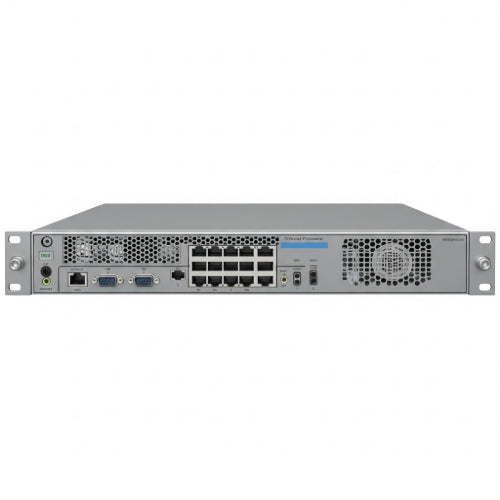
- Hardware Firewalls: Dedicated physical devices that sit between your network and the internet. They offer robust protection and are ideal for larger organizations.
- Software Firewalls: Installed on individual computers or servers. While they offer protection for individual devices, they are not a substitute for a network-level firewall.
- Next-Generation Firewalls (NGFWs): More advanced firewalls that offer deeper packet inspection, intrusion prevention, application control, and threat intelligence. Highly recommended for modern businesses.
Firewall Best Practices:
- Always Enable and Update: Ensure your firewall is always active and regularly update its firmware or software to get the latest security patches and threat definitions.
- Implement Strong Rules: Configure your firewall to block all unnecessary ports and services. Only allow traffic that is essential for your business operations.
- Regularly Review Logs: Monitor firewall logs for suspicious activity. This can help you detect and respond to potential threats early.
- Segment Your Network: Use your firewall to create separate network segments (e.g., for guests, servers, and employee devices). This limits the spread of an attack if one segment is compromised.
Beyond the Firewall: A Multi-Layered Approach
While firewalls are critical, they are just one piece of the security puzzle. A truly secure office implements multiple layers of defense.
1. Strong Passwords and Multi-Factor Authentication (MFA)
- Complex Passwords: Enforce strong, unique passwords for all accounts, combining uppercase and lowercase letters, numbers, and symbols.
- MFA Everywhere: Implement Multi-Factor Authentication (MFA) for all critical accounts (email, cloud services, financial platforms). This adds an extra layer of security, requiring a second form of verification (e.g., a code from your phone) in addition to the password.
2. Employee Security Awareness Training
Your employees are your first line of defense – and potentially your weakest link.
- Regular Training: Conduct regular training sessions on cybersecurity best practices, including phishing awareness, safe Browse habits, and recognizing suspicious emails.
- Simulated Phishing Attacks: Periodically run simulated phishing campaigns to test employee vigilance and reinforce training.
- Clear Policies: Establish clear policies for data handling, device usage, and reporting security incidents.
3. Endpoint Security (Antivirus/Anti-Malware)
- Install on All Devices: Every computer, laptop, and server should have up-to-date antivirus and anti-malware software.
- Regular Scans: Schedule regular full system scans to detect and remove threats.
- Centralized Management: For businesses, a centralized endpoint security solution allows for easier deployment, management, and monitoring.
4. Data Backup and Recovery
- Regular Backups: Implement a robust backup strategy for all critical data. Use the 3-2-1 rule: three copies of your data, on two different media types, with one copy offsite.
- Test Restorations: Regularly test your backup restoration process to ensure data integrity and quick recovery in case of a breach or disaster.
5. Physical Security
Don't overlook the importance of securing your physical premises.
- Access Control: Implement access control systems (key cards, biometric scanners) to restrict entry to authorized personnel.
- Surveillance: Install security cameras in key areas and monitor them regularly.
- Secure Equipment: Physically secure servers, networking equipment, and sensitive documents.
- Visitor Management: Have a clear system for visitor registration and escorting.
6. Software Updates and Patch Management
- Keep Everything Updated: Regularly update all operating systems, applications, and firmware. Software vulnerabilities are a common entry point for attackers.
- Automate Updates: Where possible, automate updates to ensure patches are applied promptly.
7. Incident Response Plan
- Develop a Plan: Create a clear, actionable incident response plan that outlines steps to take in the event of a security breach.
- Test the Plan: Regularly test your incident response plan to identify weaknesses and ensure your team knows how to react under pressure.
Conclusion
Office security is an ongoing process, not a one-time setup. By implementing a comprehensive strategy that includes robust firewalls, strong authentication, employee training, endpoint protection, diligent backups, physical security, and a proactive approach to updates, you can significantly reduce your risk of a cyberattack. Remember, investing in security is investing in the longevity and success of your business. Stay vigilant, stay secure.





