
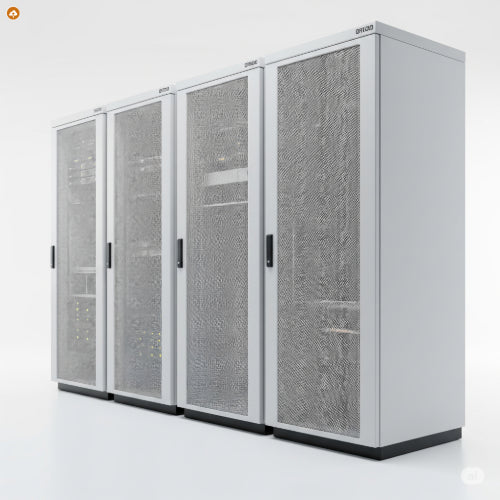
Beyond the Sprawl: Best Practices for Organizing Your Server Room with Rack Cabinets
In the heart of every modern business lies its IT infrastructure. For many organizations, this critical hardware resides within a dedicated server room, housed meticulously in rack cabinets. While simply having racks helps contain equipment, true efficiency, reliability, and security come from applying best practices for organization. A well-organized server room isn't just aesthetically pleasing; it's a strategic asset that prevents downtime, simplifies maintenance, and optimizes performance.
Why Organization is Your Server Room's Superpower:
Think of your server room as the central nervous system of your operations. Disorganization here can lead to:
-
Downtime and Troubleshooting Nightmares: Tangled cables, unidentifiable equipment, and blocked airflow create an environment ripe for failures and excruciatingly long resolution times.
-
Reduced Equipment Lifespan: Overheating due to poor airflow is a silent killer of expensive hardware.
-
Security Vulnerabilities: Unsecured or easily accessible equipment poses a significant risk of unauthorized access or physical damage.
-
Wasted Space and Energy: Inefficient layouts lead to underutilized rack space and higher cooling costs.
-
Safety Hazards: Tripping hazards from loose cables or unstable racks are a real concern.
The Blueprint: Best Practices for Rack Cabinet Organization
Achieving an optimally organized server room involves a holistic approach, from initial setup to ongoing maintenance.
1. Strategic Rack Selection & Layout:
-
Choose the Right Racks:
-
Size Matters: Select racks with appropriate height (U-units) and depth to comfortably accommodate all current and future equipment, including servers, switches, UPS units, and cable management. Standard racks are 19 inches wide.
-
Weight Capacity: Ensure the rack's weight capacity can support all your hardware, placing heavier equipment at the bottom for stability.
-
Enclosure Type: Fully enclosed cabinets offer enhanced security, dust protection, and better airflow control. Open-frame racks might be suitable for lighter networking gear in a highly controlled environment.
-
-
Hot Aisle/Cold Aisle Containment: This is fundamental for cooling efficiency. Arrange server racks in rows with fronts facing each other (creating a cold aisle for air intake) and backs facing each other (creating a hot aisle for exhaust). This prevents hot and cold air from mixing, ensuring cold air is directed where needed.
-
Room for Growth: Always plan for future expansion. Leave empty rack units, ensure power and cooling systems are scalable, and consider modular racks.
-
Accessibility: Ensure adequate space around and behind racks for easy access during installation, maintenance, and troubleshooting.
2. Masterful Cable Management:
Messy cables are the bane of any server room. Excellent cable management is crucial for airflow, access, and preventing signal interference.
-
Plan Ahead: Design your cabling infrastructure before installation. Document cable types, lengths, and routing paths.
-
Separate Power and Data: Whenever possible, route power cables on one side of the rack and data cables on the other to minimize electromagnetic interference (EMI).
-
Use Cable Management Accessories:
-
Horizontal and Vertical Cable Managers: Utilize panels with rings, hooks, or channels to route cables neatly along the front or sides of the rack.
-
Cable Ties & Velcro Straps: Securely bundle cables. Velcro straps are preferred for their reusability and ease of adjustment.
-
Cable Trays/Ladders: For larger bundles, use overhead cable trays or ladders to keep cables off the floor and organized.
-
Patch Panels: Consolidate and organize network cable terminations, making connections easier to manage and troubleshoot.
-
-
Appropriate Lengths: Use cables of the precise length needed to avoid excess slack, which can impede airflow and create clutter.
-
Protect Cables: Ensure cables are not kinked, pinched, or exposed to sharp edges or high heat.
3. Optimized Cooling and Airflow:
Efficient cooling is vital for equipment longevity and energy savings.
-
Blanking Panels: Install blanking panels in all unused rack units (U-spaces). These are essential for directing cold air through equipment and preventing hot exhaust air from recirculating.
-
Perforated Doors: Ensure rack cabinet doors have sufficient perforation (at least 63% open area) to allow proper airflow.
-
In-Rack Cooling: For high-density racks, consider in-rack cooling units that provide targeted cooling at the cabinet level, directly addressing hotspots.
-
Environmental Monitoring: Deploy temperature and humidity sensors at various points within racks and the room. Real-time monitoring helps identify and rectify potential overheating issues quickly.
-
Regular Cleaning: Keep the server room and equipment free of dust and debris, which can obstruct airflow and reduce cooling efficiency.
4. Robust Power Management:
Reliable and organized power is non-negotiable.
-
Rack PDUs (Power Distribution Units): Use rack-mounted PDUs to efficiently distribute power to all devices within the cabinet. Choose intelligent PDUs with metering capabilities for real-time power consumption monitoring and switched PDUs for remote outlet control.
-
UPS Systems: Integrate uninterruptible power supply (UPS) systems within the racks to provide immediate backup power during outages, protecting critical equipment from sudden shutdowns. Ensure UPS units are rack-mountable and properly sized for your load.
-
Load Balancing: Distribute power loads evenly across PDUs and power phases to prevent overloads.
5. Enhanced Security & Access Control:
Physical security is as important as cybersecurity.
-
Lockable Cabinets: Utilize rack cabinets with robust locking mechanisms to prevent unauthorized physical access.
-
Access Control: Implement restricted access to the server room itself, using key cards, biometric scanners, or detailed sign-in logs.
-
Video Surveillance: Install CCTV cameras covering server room entry points and critical areas within the room.
-
Environmental Monitoring Alerts: Set up alerts for unexpected temperature changes, humidity fluctuations, or power anomalies that could indicate a physical issue or breach.
6. Comprehensive Documentation and Labeling:
The best organization is only as good as its documentation.
-
Consistent Labeling: Label everything – cables (at both ends), servers (front and back), network devices, patch panels, ports, and rack units. Use a logical, consistent naming convention across your entire infrastructure.
-
Durable Labels: Use high-quality, heat-resistant labels that are legible and durable for the life of the component.
-
Digital Documentation: Maintain a digital record of your server room layout, equipment inventory, cable mapping, IP addresses, and power configurations. This should be regularly updated and backed up.
-
Rack Elevation Diagrams: Create and maintain diagrams showing the exact placement of every device within each rack.
Transforming your server room into a beacon of organization with well-managed rack cabinets is a continuous process, not a one-time task. However, the investment in planning, proper tools, and adherence to these best practices will yield significant returns in terms of reliability, efficiency, cost savings, and peace of mind for your entire operation.





