
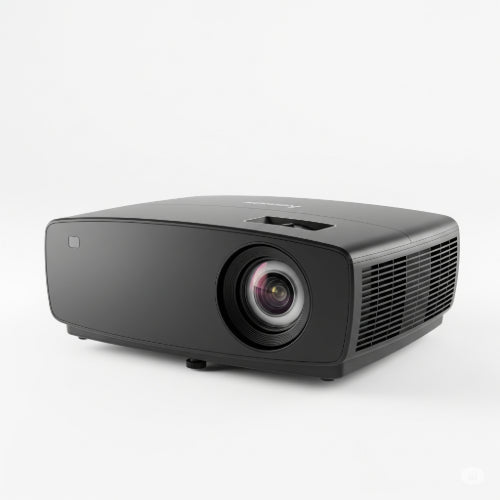
Illuminating Your Ideas: How to Choose the Best Projector for Your Office
In today's collaborative office environment, effective visual communication is paramount. Whether you're conducting a sales presentation, training new employees, brainstorming with your team, or hosting a virtual meeting, a high-quality projector can transform a mundane discussion into an engaging and impactful experience. Gone are the days of grainy images and dim projections; modern projectors offer incredible clarity, brightness, and versatility.
However, with a vast array of models, specifications, and features, selecting the "best" projector for your office can feel like navigating a maze. The "best" isn't necessarily the most expensive, but rather the one that perfectly aligns with your specific needs and office environment.
Here's a comprehensive guide to help you make an informed decision:
1. Brightness (Lumens): The Brighter, The Better (Usually)
Measured in ANSI lumens, brightness is arguably the most critical factor. It determines how well your image will stand out, especially in rooms with ambient light.
- 1,000 – 2,500 Lumens: Suitable for small, dark rooms or huddle spaces with minimal ambient light.
- 2,500 – 4,000 Lumens: Ideal for most medium-sized conference rooms with some ambient light. This is often the sweet spot for many offices.
- 4,000+ Lumens: Necessary for large boardrooms, auditoriums, or brightly lit rooms where maintaining image clarity is crucial.
Pro Tip: Don't just pick the highest lumen count. Too bright a projector in a small, dark room can cause eye strain. Consider your typical meeting room's lighting conditions.
2. Resolution: Clarity is King
Resolution determines the sharpness and detail of your projected image. Higher resolution means crisper text and more defined graphics.
- SVGA (800x600): Low resolution. Only suitable for basic presentations with minimal text/detail in very small, non-critical settings. Avoid if possible.
- XGA (1024x768): A common business resolution, but becoming outdated. Fine for basic data projections, but text can appear pixelated.
- WXGA (1280x800): Widescreen equivalent of XGA, often matching laptop aspect ratios. A good entry-level choice for general office use.
- 1080p (Full HD - 1920x1080): The modern standard for clear, sharp presentations, especially when displaying video, detailed graphics, or complex spreadsheets. Highly recommended for most offices.
- WUXGA (1920x1200): A slightly taller widescreen version of 1080p, offering a bit more vertical screen real estate. Excellent for detailed work.
- 4K UHD (3840x2160): For the absolute best detail, especially in large venues or for displaying intricate designs, CAD drawings, or high-resolution video. Still quite premium in price, but offers unparalleled clarity.
3. Contrast Ratio: Depth and Definition
Contrast ratio (e.g., 20,000:1) measures the difference between the brightest white and the darkest black a projector can produce. A higher contrast ratio results in images with more depth, richer colors, and better readability, particularly for text and intricate details. Aim for at least 10,000:1 for good office performance.
4. Projection Technology: DLP vs. LCD
The two primary technologies each have their strengths:
-
DLP (Digital Light Processing):
- Pros: Generally offers higher contrast, better black levels, and can be more compact. Less susceptible to image degradation over time (no filter to clean). "BrilliantColor" technology can produce vibrant colors.
- Cons: Some users might experience a "rainbow effect" (brief flashes of color, especially with fast-moving images), though this is less common in modern single-chip DLPs.
-
LCD (Liquid Crystal Display):
- Pros: Typically offers higher color brightness (color lumens equal white lumens), which can result in more vivid and accurate colors, especially for graphics and photos. No rainbow effect.
- Cons: Can be larger and heavier. May require filter cleaning or replacement.
5. Connectivity Options: Versatility is Key
Ensure the projector has the necessary ports to connect to your devices.
- HDMI: Essential for connecting most modern laptops, Blu-ray players, and other digital devices. Look for multiple HDMI ports.
- VGA: Still useful for connecting older laptops or desktop PCs.
- USB: For presenting directly from a USB drive, or for connecting wireless adapters.
- Ethernet (RJ45): For network control, monitoring, and sometimes network projection.
- Wireless Connectivity (Wi-Fi/Bluetooth): Increasingly common, allowing for cable-free presentations from laptops, tablets, and smartphones. Look for built-in capabilities or optional adapters.
- HDBaseT: For long-distance transmission of uncompressed video, audio, and control signals over a single CAT5e/6 cable. Ideal for large conference rooms.
6. Special Features to Consider:
-
Lamp vs. Laser:
- Lamp-based: More affordable upfront, but lamps need regular replacement (typically 2,000-6,000 hours), adding to maintenance costs.
- Laser-based: More expensive upfront, but offer significantly longer lifespans (20,000+ hours), instant on/off, consistent brightness, and virtually no maintenance. Excellent for high-use environments.
- Short-Throw/Ultra-Short-Throw: These projectors can display large images from a very short distance, eliminating shadows and allowing presenters to stand closer to the screen without blocking the image. Perfect for small rooms or interactive whiteboards.
- Keystone Correction: Digital adjustment to square up an image when the projector isn't perfectly perpendicular to the screen (both vertical and horizontal correction are beneficial).
- Lens Shift: Physical adjustment of the lens to move the image up, down, left, or right without moving the projector, providing more flexible installation. (Better than digital keystone for image quality).
- Integrated Speakers: Convenient for basic audio, but for important presentations, external speakers are always recommended.
- Interactive Features: Some projectors can turn any surface into an interactive whiteboard, allowing users to annotate directly on the projected image.
Consider Your Office Environment and Use Cases
- Room Size & Layout: Dictates brightness, throw ratio (standard, short, ultra-short), and potentially lens shift needs.
- Ambient Light: How much natural or artificial light is typically present? This heavily influences lumen requirements.
- Content: Will you mostly display text, spreadsheets, detailed graphs, images, or high-definition video? This impacts resolution and contrast needs.
- Portability vs. Fixed Installation: Do you need a lightweight projector that can be moved between rooms, or a heavier, more powerful unit for a permanent ceiling mount?
Conclusion: Projecting Success
Choosing the best projector for your office involves balancing your budget with your specific needs for brightness, resolution, connectivity, and features. By carefully assessing your room conditions, typical content, and long-term usage, you can select a projector that not only illuminates your ideas but also elevates your office's presentation and collaboration capabilities. Invest wisely, and watch your ideas truly shine!





