
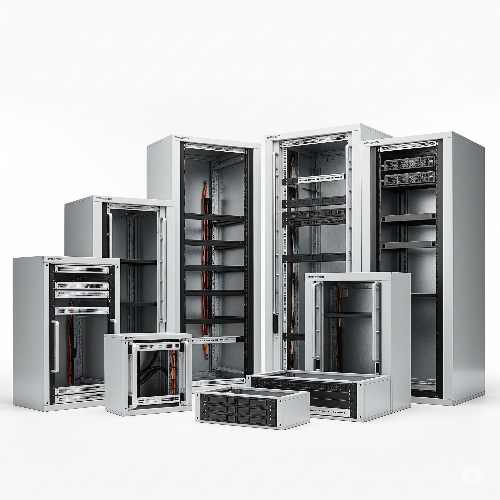
The Core of Efficiency: How to Optimize Your Server Room with the Best Rack Cabinets
In the heart of almost every modern business lies the server room (or data closet) – a critical space where vital data is processed, stored, and managed. While the servers themselves get most of the attention, the unsung heroes of this environment are the rack cabinets. Far more than just metal enclosures, the right rack cabinets are foundational to the efficiency, security, and scalability of your entire IT infrastructure.
An optimized server room isn't just about having powerful hardware; it's about how that hardware is organized, cooled, and protected. Choosing and configuring the best rack cabinets is key to unlocking the full potential of your IT assets.
Here's how to optimize your server room by selecting and utilizing the best rack cabinets:
1. Prioritize Proper Airflow and Cooling:
Heat is the enemy of electronic components. Efficient cooling is paramount, and rack cabinets play a crucial role.
- Perforated Doors (Front and Rear): Opt for racks with high-perforation doors (typically 70% or more) to allow maximum airflow. This is essential for drawing cool air in and expelling hot air out.
- Aisle Containment Ready: For larger server rooms, choose racks designed to integrate seamlessly with hot aisle or cold aisle containment systems. This strategy physically separates hot and cold air streams, drastically improving cooling efficiency and reducing energy consumption.
- Cable Management: Integrated cable management features within the rack prevent cables from obstructing airflow, which can create hot spots and reduce cooling effectiveness.
2. Ensure Physical Security:
Your data is your business's lifeline, and physical security starts at the rack level.
- Lockable Doors and Side Panels: All rack cabinets should come with lockable front and rear doors, and preferably lockable side panels, to prevent unauthorized access to sensitive equipment.
- Robust Construction: Choose racks made from durable, high-quality steel that can withstand tampering and provide a stable environment for heavy equipment.
- Mounting Options: Ensure the racks offer secure mounting points for servers, switches, and other devices, minimizing the risk of accidental dislodgment.
3. Plan for Scalability and Future Growth:
Your IT needs will evolve. Your rack cabinets should be able to evolve with them.
- Standardized Heights and Widths: Stick to industry-standard 19-inch rack widths and consider standard "U" (unit) heights (e.g., 42U, 48U) to ensure compatibility with a wide range of equipment.
- Adjustable Mounting Rails: Racks with adjustable depth mounting rails allow you to accommodate servers of varying sizes, giving you flexibility for future hardware upgrades.
- Expandable Designs: If you anticipate rapid growth, consider modular rack systems that can be easily expanded or connected to form larger bays.
4. Optimize Cable Management:
Tangled cables are not just unsightly; they hinder airflow, make maintenance difficult, and increase the risk of errors.
- Vertical Cable Organizers: Look for racks that include or can accommodate vertical cable managers on the sides.
- Horizontal Cable Management Trays: These are essential for routing patch cables neatly between network devices within the rack.
- Cable Pass-Throughs: Rubber grommets or brushes for cable entry/exit points help keep things tidy and protect cables.
5. Consider Power Distribution Units (PDUs):
While not strictly part of the cabinet, the integration of PDUs is crucial for rack optimization.
- Vertical PDUs: Mountable vertically at the rear of the rack, these save valuable "U" space for IT equipment.
- Smart PDUs: For advanced monitoring and control, consider PDUs with remote management capabilities, allowing you to monitor power consumption at the outlet level and even remotely cycle power to individual devices.
6. Assess Environmental Monitoring Integration:
Modern racks can be part of a smarter server room.
- Sensor Compatibility: Choose racks that can easily accommodate environmental sensors (temperature, humidity, airflow) to provide real-time data for your monitoring systems. This helps identify potential issues before they become critical.
The Bottom Line: Strategic Investment for IT Health
Choosing the best rack cabinets is a strategic investment in the health and longevity of your IT infrastructure. It contributes directly to:
- Reduced downtime: By preventing overheating and facilitating easier maintenance.
- Lower operational costs: Through improved cooling efficiency.
- Enhanced security: Protecting your valuable hardware and data.
- Future-proofing: Allowing for seamless growth and adaptation.
By carefully considering these factors, you can transform your server room from a simple storage area into a highly optimized, efficient, and reliable core for your business operations.





