
Unlock Your Laptop's Full Potential: The Benefits of Using a Docking Station for Better Productivity
In today's flexible work environment, laptops have become indispensable. We love them for their portability, allowing us to work from anywhere – a coffee shop, a home office, or a conference room. However, this very portability often comes at a cost when we return to our main workspace. The daily ritual of plugging in multiple peripherals, enduring cramped screens, and wrestling with a tangle of cables can quickly become a significant productivity drain.
Enter the laptop docking station.
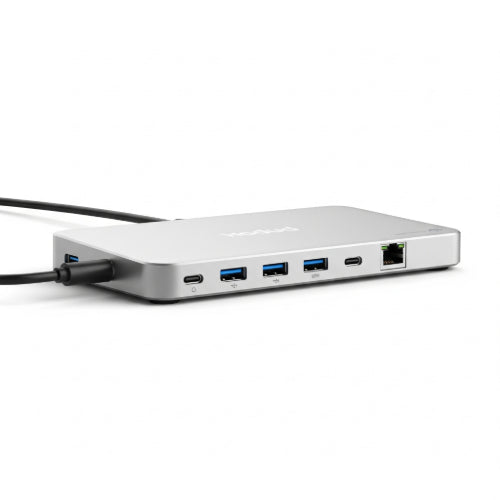
Often overlooked, a docking station is a powerful tool that transforms your portable laptop into a full-fledged desktop workstation in an instant. It's not just a fancy hub; it's a productivity powerhouse designed to streamline your setup and unlock capabilities you didn't even know your laptop possessed.
Here are the key benefits of integrating a docking station into your workflow:
1. Supercharged Connectivity: Beyond Your Laptop's Limits
Modern ultra-thin laptops, while sleek, often sacrifice ports for portability. A docking station instantly expands your connectivity options:
- Multiple External Monitors: The single biggest boost to productivity. Drive one, two, or even three external displays at high resolutions, giving you ample screen real estate for multitasking, data analysis, and creative work. No more constantly minimizing and maximizing windows!
- More USB Ports: Need to connect a mouse, keyboard, external hard drive, webcam, USB headset, and charger for your phone? Your laptop likely doesn't have enough. Docking stations provide a generous array of USB-A and modern USB-C ports.
- Ethernet Port: For crucial stability and faster speeds, a wired internet connection is often superior to Wi-Fi, especially for large downloads, video calls, or sensitive data transfers. Many slim laptops lack this vital port.
- Card Readers: Seamlessly transfer photos and videos from your camera's SD or microSD cards.
- Audio Jacks: Easily connect your preferred headphones or speakers.
2. Enhanced Ergonomics: Work Smarter, Not Harder
Hunching over a laptop screen for hours is a recipe for neck pain, eye strain, and poor posture. A docking station allows you to:
- Elevate Your Screen: Use your external monitors at eye level, promoting a more natural and comfortable head position.
- Utilize Full-Size Peripherals: Connect an ergonomic keyboard and mouse that fit your hands better, reducing wrist strain and improving typing speed and accuracy.
- Create a Dedicated Workspace: By moving your laptop to the side (often closed in "clamshell mode"), you free up desk space and create a more professional and organized environment.
3. Streamlined Workflow: Plug and Play Simplicity
Imagine arriving at your desk, plugging in a single cable (often a USB-C or Thunderbolt cable), and having all your peripherals, monitors, and power instantly connected. That's the magic of a docking station:
- Instant Setup: No more fumbling with multiple cables every morning or evening. Get straight to work.
- Quick Transitions: Seamlessly transition between working at your desk and taking your laptop on the go.
- Reduced Wear and Tear: Constantly plugging and unplugging cables can wear out your laptop's ports over time. A docking station minimizes this wear.
4. Superior Cable Management: Tame the Tangle
A messy desk can be a messy mind. Docking stations inherently lead to better cable management:
- All your peripheral cables connect directly to the dock, creating a central point for organization.
- Many docking stations have ports strategically placed on the back, keeping cables out of sight and maintaining a clean aesthetic.
Choosing the Right Docking Station
With so many options, consider:
- Your Laptop's Ports: Most modern docks connect via USB-C or Thunderbolt. Ensure compatibility. Thunderbolt docks offer the highest bandwidth and support for multiple high-resolution displays.
- Required Ports: Make a list of all the peripherals you need to connect.
- Power Delivery: Can the dock charge your laptop? This eliminates another cable.
- Brand and Compatibility: While many docks are universal, some brands offer docks specifically optimized for their laptops.
Invest in Your Productivity
A laptop docking station is more than just an accessory; it's an investment in your productivity, comfort, and the longevity of your IT equipment. By transforming your portable laptop into a powerful desktop workstation, you'll spend less time wrestling with cables and more time focusing on what truly matters: getting your work done efficiently and effectively. If you're tired of the daily plug-and-play shuffle, a docking station might just be the upgrade your office workflow desperately needs.





