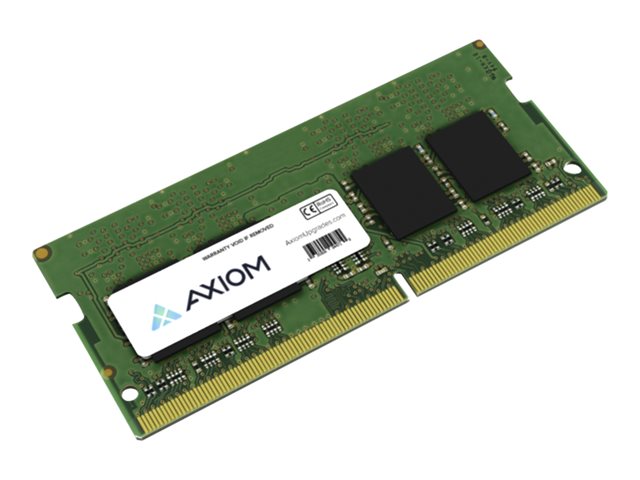
Upgrade your portable workstation with the Axiom 16GB DDR4-3200 SODIMM. This memory module is designed for laptops and compact PCs, delivering a reliable boost in multitasking and overall responsiveness.
-
Capacity: 16GB of high-performance DDR4 memory to handle multiple applications and browser tabs with ease.
-
Type: DDR4-3200 for fast data transfer rates, quicker program loads, and smoother operation.
-
Form Factor: SODIMM, specifically designed for laptops and small form factor devices, ensuring easy installation in compatible systems.
-
Model: AX43200S22B/16G, a genuine AXIOM module built for durability and dependable performance.
-
Brand: AXIOM, a memory specialist known for reliable performance and broad compatibility.
-
Compatibility: Designed to work with a wide range of systems that support DDR4 SODIMM memory, offering a straightforward upgrade path.
-
Performance Impact: Improves system speed and efficiency, particularly during multitasking, office productivity, and professional workloads.
Upgrading to 16GB of DDR4-3200 memory helps your system respond more quickly to everyday tasks and professional workloads. It reduces slowdowns when juggling multiple programs, large spreadsheets, photo/video editing, or running lightweight virtual environments, and it pairs well with existing components to enhance overall efficiency without compromising battery life or heat output.
Specs
-
Capacity: 16GB
-
Type: DDR4-3200
-
Form Factor: SODIMM
-
Model: AX43200S22B/16G
-
Brand: AXIOM
FAQs
-
Is this RAM compatible with my laptop?: Check your laptop’s specifications for DDR4 SODIMM support and maximum capacity.
-
Can I install this module myself?: Yes, if you are comfortable opening your device; otherwise, seek professional help.
-
Will this improve gaming performance?: It can enhance overall system responsiveness but depends on other hardware components.
-
Does it come with a warranty?: AXIOM products typically include a limited warranty; verify with the seller.
-
How do I verify if the RAM is recognized by my system?: Use system information tools or BIOS settings to confirm installation success.