
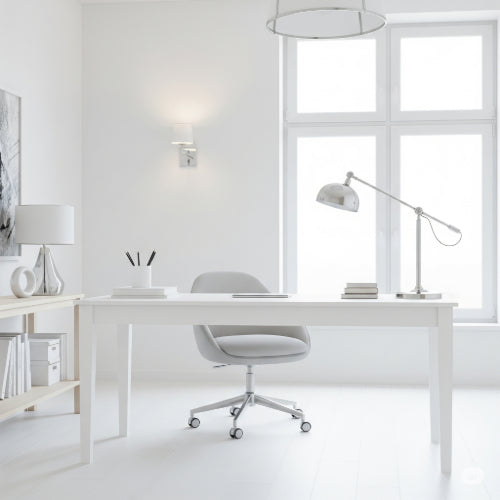
Your Command Center, Optimized: The Ultimate Guide to Organizing Your Home Office Space
The home office has become an indispensable part of modern life for many. It's where ideas are born, projects are completed, and careers thrive. Yet, without proper organization, this vital space can quickly become a source of stress and distraction. A well-organized home office isn't just about tidiness; it's about creating an environment that fosters focus, maximizes efficiency, and inspires your best work.
Why a Disorganized Home Office Holds You Back
A cluttered home office can subtly, yet significantly, hinder your productivity:
-
Wasted Time: Constantly searching for documents, supplies, or charging cables eats away at precious working minutes.
-
Reduced Focus: Visual clutter acts as a constant distraction, making deep work challenging.
-
Increased Stress & Fatigue: A chaotic environment can feel overwhelming, draining your mental energy before you even start.
-
Impaired Creativity: An uninspiring space can stifle innovation and problem-solving.
-
Blurred Lines: When work items bleed into personal space, it can make it harder to switch off at the end of the day.
Your Blueprint for an Optimized Home Office:
Transforming your home office into a highly efficient and comfortable zone involves a few key strategies:
1. Define Your Zones: Purposeful Placement
Every effective office starts with a clear understanding of its functions.
-
The Core Work Zone: This is your primary desk area. Keep only what you use daily or hourly here: your computer, monitor, keyboard, mouse, a pen, and a notebook. Everything else should have a designated spot elsewhere.
-
The Active Reference Zone: For items you access frequently but not constantly, like current project files, often-used reference books, or a printer. This might be a nearby bookshelf, a dedicated drawer, or a vertical file sorter on your desk.
-
The Supply & Storage Zone: House your bulkier items and less frequently used supplies here: spare paper, extra cables, binders of archived documents, or seldom-used office machines. This could be a cabinet, a set of drawers, or a closet.
-
The Charging Hub: Designate one spot for charging all your devices (phone, tablet, earbuds). Use a multi-port charger or a dedicated charging station to keep cables contained.
2. Master Desk Ergonomics: Comfort Fuels Productivity
Your physical comfort directly impacts your focus and endurance.
-
Chair: Invest in an ergonomic chair that provides good lumbar support. Adjust its height so your feet are flat on the floor (or a footrest) and your knees are at a 90-degree angle.
-
Monitor: Position your monitor so the top third of the screen is at eye level. It should be about an arm's length away to prevent eye strain. If using multiple monitors, arrange them ergonomically for seamless viewing.
-
Keyboard & Mouse: Keep your keyboard directly in front of you, with your elbows at a 90-degree angle and wrists straight. Use an ergonomic mouse to reduce strain.
-
Lighting: Maximize natural light by positioning your desk perpendicular to a window. Supplement with a good task lamp that illuminates your work area without creating glare on your screen.
3. Tame the Cable Chaos: Out of Sight, Out of Mind
Clutter-free cables instantly elevate the look and safety of your workspace.
-
Under-Desk Management: Use cable trays or baskets mounted underneath your desk to hold power strips and excess cable length.
-
Cable Clips & Ties: Securely bundle wires with reusable Velcro ties or small adhesive clips that route cables along desk edges.
-
Cable Sleeves: For multiple cables running together, use a flexible cable sleeve to create one neat bundle.
-
Wireless Solutions: Opt for wireless keyboards, mice, and charging pads where possible to eliminate cables entirely.
4. Smart Storage Solutions: Optimize Every Inch
-
Go Vertical: Utilize wall-mounted shelves, stackable drawers, and tiered desktop organizers to make the most of vertical space without consuming valuable desk surface.
-
Drawer Dividers: Prevent small items from becoming a jumbled mess by using drawer inserts or small bins to compartmentalize pens, paper clips, USB drives, and other supplies.
-
Closed Storage: Where possible, opt for cabinets or drawers rather than open shelving. This keeps items out of sight, contributing to a cleaner, more minimalist aesthetic and reducing visual clutter.
-
Label Everything: For items in drawers, bins, or files, use clear, consistent labels so you can always find what you need quickly.
5. Cultivate Daily Habits: The Key to Lasting Organization
Organization isn't a one-time project; it's an ongoing practice.
-
The 5-Minute Tidy: At the end of each workday, dedicate a few minutes to putting items back in their designated spots, clearing your desk, and organizing current files.
-
Digital Declutter: Don't forget your computer desktop! Organize files into folders, delete unnecessary documents, and regularly back up important information.
-
The "One-Touch" Rule: For any new item (physical or digital), try to handle it once. Act on it, file it, or discard it immediately rather than letting it pile up.
-
Seasonal Purge: Every few months, take a deeper dive. Get rid of broken items, donate unused equipment, and shred old documents securely. Ensure proper e-waste recycling for old electronics.
An organized home office is more than just a neat room; it's a strategic investment in your productivity, comfort, and peace of mind. By implementing these guidelines, you'll create a dedicated space where you can focus, innovate, and thrive, making your work-from-home experience truly efficient and enjoyable.





